
What Is a Meta Robots Tag? Meaning, Directives, Examples and SEO Best Practices

Key takeaways
- A meta robots tag is a line of HTML in the head of a web page that tells search engines whether to index the page, follow its links and show a snippet.
- Every meta robots tag has two parts.
- A crawler fetches your page and reads the HTML.
- Directives are the rules you place inside the content part.
Some pages on your website should never show up in Google. Think of thank you pages, internal search results and old test pages. Others should show up but with limits on how much text or how large an image appears in results.
A meta robots tag gives you that control. It is one short line of HTML that tells search engines whether to index a page and how to show it. Used well it keeps your search results clean. Used badly it can wipe your best page from Google overnight.
This guide explains the tag in plain words. You will see every directive Google supports and copy-ready code for popular platforms. You will also learn how the tag shapes AI answers in Google and Bing and which mistakes to avoid.
What Is a Meta Robots Tag?
A meta robots tag is a line of HTML in the head of a web page that tells search engines whether to index the page, follow its links and show a snippet. It works on one page at a time. Search engines can only read it if they are allowed to crawl the page.
If you searched what is meta robots tag after seeing a "noindex" warning in Google Search Console this is the line of code behind it. Here is the most common version.
<meta name="robots" content="noindex, follow">
Without any tag search engines assume the default which is index, follow. You may also see it called the robots meta tag or a meta robots directive. They all mean the same thing.
The tag is not part of any official web standard. It works because Google, Bing and other major search engines agreed to follow it. Spam bots and scrapers can simply ignore it.
Meta Robots Tag Key Facts
Location: inside the <head> section of a page
Scope: works on one page at a time
Default: index and follow when no tag exists
Case: names and rules are not case sensitive
Control type: indexing, link following and how results look
Needs crawling: Google must be able to open the page to read the tag
Google bot names: robots, googlebot and googlebot-news
Cousin: the X-Robots-Tag HTTP header does the same job for files like PDFs
Meta Robots Tag Syntax: The Name and Content Parts
Every meta robots tag has two parts. The name says which crawler should listen. The content holds the rules.
<meta name="robots" content="noindex, nofollow">
Parts of the Tag Explained
<meta>: marks the line as page information that visitors do not see
name="robots": speaks to every search engine crawler
content="...": lists one or more rules separated by commas
Rules: words like noindex or max-snippet that tell the crawler what to do
Crawler Names You Can Target
robots speaks to all search engines
googlebot speaks to Google Search only
googlebot-news speaks to Google News only
bingbot speaks to Bing only
AdsBot-Google may need its own tag because the general robots tag is meant for search crawlers
Google reads only two names besides robots: googlebot and googlebot-news. It ignores tags aimed at other names such as googlebot-image. Here is an example that sends one rule to everyone and another rule to Google.
<meta name="robots" content="max-image-preview:large">
<meta name="googlebot" content="noindex">
How Does a Meta Robots Tag Work?
A crawler fetches your page and reads the HTML. It finds the meta robots tag and follows the rules inside. If the tag says noindex Google drops the page from search results after its next crawl.
The word "crawl" matters here. Google can only obey the tag if it can open the page. So a page blocked in robots.txt never shows its tag. That is why a robots.txt block and a noindex tag should not be used together on the same URL. Our guide on what robots.txt is explains this clash in detail.
Google reads the tag even if it sits in the body of the page. Keep it in the head anyway because other crawlers and SEO tools may only check there.
What Happens Step by Step
Googlebot crawls the page
It reads the meta robots tag in the HTML
It applies the rules to that page
The page is kept out of or limited in search results
Changes show after the next recrawl which can take days or weeks
Meta Robots Tag Directives Explained
Directives are the rules you place inside the content part. You can use several at once separated by commas. Google supports the rules below and ignores anything else.
Directive | What it does | Use it for |
index or all | Allows indexing and is the default | Rarely needed since it is the default |
noindex | Keeps the page out of search results | Thank you, login and thin pages |
follow | Lets crawlers follow links and is the default | Rarely needed |
nofollow | Asks crawlers not to follow any link on the page | Pages full of links you do not trust |
none | Same as noindex and nofollow together | Fully private pages |
nosnippet | Shows no text snippet or video preview and keeps the text out of AI Overviews and AI Mode | Content you do not want quoted |
max-snippet:[number] | Caps the snippet at a set number of characters | Controlling how much text is shown |
max-image-preview:[none, standard or large] | Sets the largest image preview | Image heavy pages that want big previews |
max-video-preview:[number] | Caps video previews at a set number of seconds | Video pages |
noimageindex | Stops images on the page from being indexed | Images you want kept out of image search |
notranslate | Stops Google from offering a translated result | Brand or legal pages |
unavailable_after:[date] | Drops the page from results after a set date | Expiring offers and events |
indexifembedded | Lets a noindex page be indexed when it is embedded in another page | Embeddable media players and widgets |
Google no longer uses noarchive, nocache or nositelinkssearchbox because the features behind them are gone. Bing still reads noarchive and nocache which matters for its Copilot answers as you will see below.
Special Values Worth Knowing
max-snippet:0 works like nosnippet and max-snippet:-1 means no limit
max-video-preview:0 allows only a still image and -1 means no limit
max-image-preview:large allows previews up to the width of the screen
unavailable_after accepts dates like 2026-12-31 and Google crawls the URL much less after that date
indexifembedded only works when the same page also has noindex
How Google Reads Multiple Tags and Conflicting Rules
You can write rules in one tag or spread them over several tags. Google adds up every rule that applies to its crawler.
<meta name="robots" content="nofollow">
<meta name="googlebot" content="noindex">
Googlebot reads both tags here and treats the page as noindex and nofollow. Other search engines only see nofollow.
When rules clash Google follows the stricter one. A page with both max-snippet:120 and nosnippet gets no snippet at all. The same logic applies when a page has a meta tag and an X-Robots-Tag header that disagree.
Bing works differently for its AI controls. If a page has both noarchive and nocache Bing treats it as nocache which is the softer rule.
Rules for Combining Directives
Separate rules in one tag with commas
Use separate tags when different crawlers need different rules
Expect Google to apply the strictest rule it finds
Avoid sending index in one place and noindex in another
Write noindex, nofollow in full rather than none for the widest support
Meta Robots Tag Examples You Can Copy
Real code makes this easy to use. Paste these into the head of the page you want to control.
Keep a Page Out of Search but Follow Its Links
<meta name="robots" content="noindex, follow">
Keep a Page Out of Search and Ignore Its Links
<meta name="robots" content="noindex, nofollow">
Allow Indexing but Show No Text Snippet
<meta name="robots" content="nosnippet">
Allow Large Previews and Full Snippets
<meta name="robots" content="max-snippet:-1, max-image-preview:large, max-video-preview:-1">
News and blog sites often use this so Google Discover can show large images.
Remove a Page From Results After a Date
<meta name="robots" content="unavailable_after: 2026-12-31">
Hide One Part of a Page From Snippets
<p>This sentence can appear in search results.
<span data-nosnippet>This price note will not.</span></p>
The data-nosnippet attribute works on span, div and section elements. Bing supports it too.
Pages That Often Need Noindex
Thank you and confirmation pages
Internal search result pages
Login and account pages
Thin tag or archive pages
Duplicate print versions of a page
Test and staging pages
Expired campaign pages you cannot redirect
Meta Robots Tag vs Robots.txt vs X-Robots-Tag vs Canonical
These tools sound alike but do different jobs. Mixing them up causes most indexing problems.
Robots.txt decides whether bots may crawl a URL. The meta robots tag decides what happens to a page after it is crawled. The X-Robots-Tag does the same as the meta tag but sits in the server response so it works on files that have no HTML. A canonical tag points duplicate pages to one main version. Our guide to the X-Robots-Tag header covers server setups for PDFs and images.
Tool | Where it lives | Controls | Best for |
Robots.txt | One file at the site root | Crawling | Blocking crawl of whole folders |
Meta robots tag | Head of an HTML page | Indexing and snippets | Controlling a single page |
X-Robots-Tag | HTTP response header | Indexing and snippets | PDFs, images and other files |
Canonical tag | Head of an HTML page | Which duplicate ranks | Near identical pages |
404 or 410 status | Server response | Removal | Pages that are gone for good |
When to Use Each One
Use robots.txt to save crawl time on low value URLs
Use the meta robots tag to keep a page out of results
Use the X-Robots-Tag for PDFs and other non-HTML files
Use a canonical tag for duplicates that should pass value to one page
Use a 404 or 410 status for pages that no longer exist
Use a login or password for private content
Never combine a robots.txt block with a noindex tag on the same page
Never combine noindex with a canonical tag that points to another page
Here is an X-Robots-Tag example for a PDF file:
X-Robots-Tag: noindex
You only need one of the two on a page. Using a meta tag and a header together adds nothing and invites conflicts.
Why Noindex and Canonical Do Not Mix
A canonical tag says another URL is the main version and should get the credit. A noindex tag says drop this page. Together they send mixed signals. Google advises against using noindex to choose a canonical page. Use a canonical tag for duplicates and noindex for pages that should vanish.
Meta Robots Tag and Nofollow Links
The nofollow directive in a meta tag applies to every link on the page. That is rarely what you want. For single links use a link attribute instead.
Google now treats nofollow as a hint and not a strict rule. It also offers two more attributes so you can describe the link.
Link Attributes You Can Use
rel="nofollow": a general hint not to pass credit
rel="sponsored": for paid links and ads
rel="ugc": for links in comments and forum posts
<a href="https://example.com" rel="sponsored">Partner site</a>
Do not add nofollow to your own internal links to steer value. It does not move that value to other pages. It just stops the link from helping.
Google's John Mueller has said a page kept as noindex for a long time is eventually treated like nofollow too. So do not rely on noindex pages to pass link credit forever.
Meta Robots Tag for AI Overviews, GEO and LLM Platforms
AI answers now sit at the top of many results. Google AI Overviews and AI Mode use pages that are indexed and can show a snippet. So the same tag rules apply.
Google states that nosnippet keeps a page's text from being used as a direct input for AI Overviews and AI Mode. A max-snippet value limits how much text those features can use. A noindex tag removes the page from the index so it cannot be cited at all. Use data-nosnippet when you only want to hide one block such as a price table or a members only preview.
Bing uses two older rules for its AI answers. Pages tagged noarchive stay out of Copilot answers and out of Microsoft's AI model training. Pages tagged nocache can still appear in Copilot but only as a URL, title and snippet. Both kinds still show in normal Bing search results.
<!-- Keep this page out of Copilot answers but stay in Bing search -->
<meta name="bingbot" content="noarchive">
AI training opt-outs work through robots.txt and not through meta tags. Rules for GPTBot, ClaudeBot or Google-Extended belong in your robots.txt file. Made-up values like noai are not on Google's list so Google ignores them. Bots like OAI-SearchBot and PerplexityBot mainly respond to robots.txt rules and their support for meta robots tags can vary. A solid AI search optimization plan starts by making sure your best pages are indexable and quotable.
How to Stay Visible in AI Answers
Keep your money pages and guides free of noindex
Avoid nosnippet on pages you want cited
Use max-snippet:-1 to allow long text previews
Use data-nosnippet on small parts you want to hide
Avoid noarchive on pages you want cited in Copilot
Give each page a direct answer near the top
Keep robots.txt open for search bots you want
Meta Robots Tags on JavaScript Sites
Sites built with React, Vue or Next.js need extra care. Google may skip rendering a page once it sees noindex in the first HTML it downloads. So JavaScript that removes noindex later may never run for Google.
The safe rule is simple. If a page should rank make sure noindex is not in the raw HTML your server sends. Adding noindex with JavaScript does work and single page apps often use it on error pages to avoid soft 404 errors.
JavaScript Checklist for Robots Tags
Render the robots tag on the server and not in the browser
Never ship noindex in the first HTML of a page you want indexed
Check the rendered HTML in the URL Inspection live test
Make sure only one robots tag exists after scripts run
Use noindex on error pages that return a 200 status
How to Add a Meta Robots Tag to Your Website
You have a few ways to add the tag. The right one depends on your platform. Most sites do not need any code.
Add It on Popular Platforms
WordPress: open the page in Yoast SEO or Rank Math and change the Advanced settings. The "Discourage search engines" box under Settings and then Reading adds noindex to the whole site.
Shopify: edit the theme.liquid file or use an SEO app
Wix: open the page SEO panel and go to Advanced SEO then Robots meta tag. SEO Settings lets you set rules for a whole page type at once.
Webflow: turn off Sitemap indexing in Page Settings which also adds noindex
Blogger: switch on custom robots header tags in Settings and pick rules for each post
Next.js: set the robots field in the page metadata
WordPress also adds max-image-preview:large to public sites by default since version 5.7. So do not be surprised to see it in your page source.
Here is a Shopify example that adds noindex to search result pages:
{% if template contains 'search' %}
<meta name="robots" content="noindex, follow">
{% endif %}
Here is the Next.js example for a single page:
// app/thank-you/page.tsx
export const metadata = {
robots: {
index: false,
follow: true,
},
}
On Next.js you can also keep every preview build out of Google from one place. Pages can still override this with their own robots setting.
// app/layout.tsx
import type { Metadata } from 'next'
const isLive = process.env.VERCEL_ENV === 'production'
export const metadata: Metadata = {
robots: isLive
? { index: true, follow: true, googleBot: { 'max-image-preview': 'large' } }
: { index: false, follow: false },
}
Your platform can shape how much control you get. Our post on choosing the right CMS for your business website explains how this affects SEO.
Best Places to Add the Tag
Inside the head and before the body starts
On the exact page you want to control
Once per crawler name to avoid mixed signals
In the server rendered HTML on JavaScript sites
How Long Does Noindex Take to Work?
Noindex works after Google crawls the page again. Busy pages can drop out within days. Pages that Google rarely visits can take weeks or longer.
Your sitemap can help here. Long term it should list only pages you want indexed. Short term a freshly noindexed URL can stay in it with an updated lastmod date so Google revisits it sooner. Our guide on creating and submitting an XML sitemap shows how to keep it clean.
Ways to Speed Up Removal
Request indexing for the URL in the URL Inspection tool so Google recrawls it
Keep the URL in your sitemap with a fresh lastmod date until Google drops it
Remove it from the sitemap once Search Console shows it as excluded
Use the Search Console Removals tool for urgent cases since it hides a URL for about six months
Keep the noindex in place after the temporary removal ends
How to Check Your Meta Robots Tag
Always check the tag after you add it. A wrong tag can hide a page you want ranked.
The URL Inspection tool in Google Search Console shows whether indexing is allowed and whether it found noindex in the robots meta tag. Run a live test and view the rendered HTML to see the tag Google sees after scripts run. The Page indexing report lists every URL under "Excluded by 'noindex' tag". You can also open the page source or the Elements panel in your browser's developer tools and search for "robots".
A quick site scan helps too. Our free SEO audit tool can flag pages that carry a noindex tag by mistake.
Checking Steps
Open the page source and search for name="robots"
Compare it with the rendered HTML in your browser's developer tools
Inspect the URL in Search Console and run a live test
Open the Page indexing report and review the "Excluded by 'noindex' tag" group
Check the HTTP headers for an X-Robots-Tag that clashes with the meta tag
Confirm important pages show as indexed
Recheck after every site update
Common Meta Robots Tag Mistakes
Most problems come from a rule left behind after a launch. A staging setting slips into the live site and rankings disappear.
If your pages are missing from Google start by reading why a website may not rank on Google and check for noindex early.
Mistakes That Hurt Your Rankings
Leaving a noindex tag live after moving from staging
Forgetting to untick WordPress's "Discourage search engines" box after launch
Blocking a page in robots.txt and adding noindex to it
Combining noindex with a canonical tag that points elsewhere
Leaving noindexed pages in your sitemap long after Google drops them
Using nofollow on the whole page when only one link needs it
Removing noindex with JavaScript and expecting Google to see the change
Sending index in the meta tag and noindex in the HTTP header
Typing wrong directive names like "noindexx"
Setting a tag on the wrong template so it hits every page
Using noindex to save crawl budget when Google still has to crawl the page to read it
Adding nosnippet or noarchive to a page you want cited in AI answers
A full review catches these fast. Our technical SEO audit checklist covering 47 issues is a good place to start.
Meta Robots Tag Best Practices
Keep your rules simple and use them only where they help. Fewer tags mean fewer mistakes.
Best Practices Checklist
Leave the tag off when you want the default index and follow
Use noindex for thin, duplicate or private pages
Let Google crawl any page that carries a noindex tag
Keep noindex pages out of your XML sitemap once Google drops them
Use max-image-preview:large for pages with strong images
Use the X-Robots-Tag for PDFs and other files
Render robots tags on the server for JavaScript sites
Write noindex, nofollow in full instead of none
Review noindex pages every quarter
Recheck all tags after a redesign or migration
Sites that change often need regular checks. Our website maintenance and security service covers this kind of upkeep.
Conclusion
A meta robots tag is a small line of code with a big effect. It decides which pages appear in search and how they look. It also decides how much of your content Google and Bing can quote in AI answers.
Start by listing the pages that should stay out of Google. Add noindex only to those. Keep every valuable page open and quotable. Then test the tags in Search Console and check them again after each big site change.
Frequently Asked Questions
What is a meta robots tag in simple words?
A meta robots tag is a line of HTML in the head of a page. It tells search engines whether to index the page and follow its links.
Where do I put the meta robots tag?
Place it inside the <head> section of the page you want to control. Google will still read it in the body but the head is the standard place.
What is the default meta robots setting?
The default is index, follow. If a page has no tag search engines will index it and follow its links.
What does noindex do?
Noindex tells Google to keep the page out of search results. Google removes it after the next crawl.
What is the difference between noindex and nofollow?
Noindex controls whether the page appears in search results. Nofollow asks crawlers not to follow the links on the page.
Is a meta robots tag the same as robots.txt?
No. Robots.txt controls crawling for whole sections of a site. The meta robots tag controls indexing and result display for one page.
Can I use noindex and robots.txt together?
You should not. If robots.txt blocks the page Google cannot open it and never sees the noindex tag.
Does a meta robots tag affect AI Overviews?
Yes. Noindex removes the page from the index so it cannot be cited. Google says nosnippet keeps your text from being used as a direct input for AI Overviews and AI Mode and max-snippet limits how much can be used.
Can a meta robots tag stop AI tools from using my content?
Partly. Nosnippet and max-snippet limit Google's AI features and noarchive keeps pages out of Bing Copilot. Opt-outs from AI training for bots like GPTBot and Google-Extended go in robots.txt.
What is the X-Robots-Tag?
It is an HTTP header that gives the same rules as the meta robots tag. You use it for files like PDFs and images that have no HTML head.
How long does it take for noindex to work?
It works after Google crawls the page again. That can take a few days or a few weeks. Requesting indexing in Search Console can speed it up.
Does noindex save crawl budget?
No. Google still has to crawl a page to read its noindex tag. Use robots.txt for URLs you never want crawled and noindex for pages you want kept out of results.
About the author

Sr. SEO Executive · 3 years' experience
Harsh Rajput is a Senior SEO Executive with 3+ years of experience in SEO, digital marketing and AEO/GEO strategy. He leads a team of SEO executives at Digisutra Solutions, handling keyword research, technical SEO, on-page/off-page optimization, link building and content strategy, while helping brands rank in Google AI Overviews and LLM platforms like ChatGPT, Claude and Gemini. He has worked with clients across India, USA, UAE, and Australia in industries like e-commerce, finance and technology.
Reader reviews
Up next · SEO & AI search · 23 min
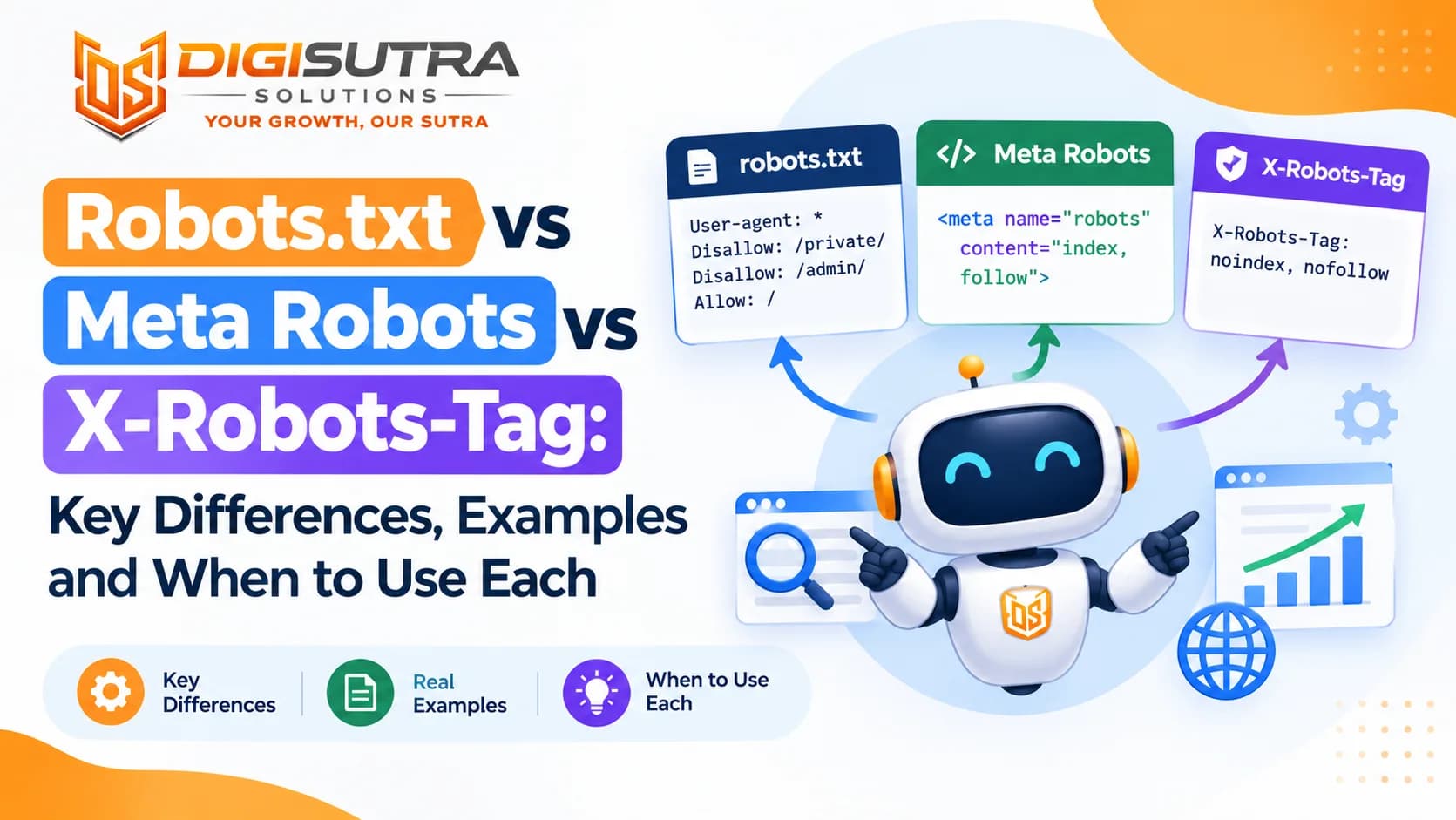
Robots.txt vs Meta Robots vs X-Robots-Tag: Key Differences, Examples and When to Use Each

Related · SEO & AI search · 16 min
What Is X-Robots-Tag? Meaning, Directives, Server Examples and SEO Best Practices