

What Is X-Robots-Tag? Meaning, Directives, Server Examples and SEO Best Practices

Key takeaways
- The X-Robots-Tag is an HTTP response header that tells search engines whether to index a URL, follow its links and show a snippet.
- When a crawler asks for a file your server replies with the file and a set of headers.
- These three tools sound alike but do different jobs.
- The header has a simple format.
Your website holds more than web pages. It also holds PDFs and images and videos and downloadable files. Some of these should show up in Google. Others should stay hidden.
A normal meta tag cannot help here because a PDF has no HTML head to put it in. That is where the X-Robots-Tag comes in. It is an HTTP header that sends indexing rules from your server instead of from the page.
This guide explains the X-Robots-Tag in plain words. You will see the directives and server examples you can copy for Apache, Nginx, Next.js and more. You will also learn how it shapes AI answers and which mistakes to avoid.
What Is X-Robots-Tag?
The X-Robots-Tag is an HTTP response header that tells search engines whether to index a URL, follow its links and show a snippet. It accepts the same rules as the meta robots tag. Because it travels with the server response it works on PDFs, images, videos and other files that have no HTML.
If you searched what is X robots tag after finding a PDF in Google that you wanted removed this is the tool you need. Here is the simplest example.
X-Robots-Tag: noindex
Here is how it looks inside a full server response for a PDF:
HTTP/1.1 200 OK
Content-Type: application/pdf
X-Robots-Tag: noindex
Google announced support for the X-Robots-Tag in 2007 so site owners could control files that have no HTML. It is not part of any official web standard. Google, Bing and other major search engines simply agreed to read it.
X-Robots-Tag Key Facts
Location: the HTTP response header sent by your server
Works on: HTML pages and PDFs and images and videos and other files
Directives: the same ones the meta robots tag uses
Set up in: server config or CDN or application code
Case: the header name, bot names and rules are not case sensitive
Google bot names: googlebot and googlebot-news
Needs crawling: Google must be able to fetch the URL to see the header
Default: index and follow when no header exists
How Does the X-Robots-Tag Work?
When a crawler asks for a file your server replies with the file and a set of headers. The X-Robots-Tag sits inside those headers. The crawler reads it and follows the rules.
Nothing changes on the page itself. A visitor sees the same content. Only the crawler acts on the header. That makes it a clean way to control files at scale.
The crawler still has to request the URL before it sees the header. So the X-Robots-Tag does not save crawl budget. Google advises against using noindex for that job and points to robots.txt for URLs you never want crawled. Read our post on what robots.txt is to see how the two fit together.
What Happens Step by Step
Googlebot requests a URL such as a PDF
Your server replies with the file and the header
Googlebot reads the X-Robots-Tag line
It applies the rules to that URL
The file is kept out of or limited in search results after the next crawl
X-Robots-Tag vs Meta Robots Tag vs Robots.txt
These three tools sound alike but do different jobs. Mixing them up is the top cause of indexing trouble.
Robots.txt decides whether bots may crawl a URL. The meta robots tag controls indexing for one HTML page. The X-Robots-Tag does the same job from the server and covers every file type. Our guide on what a meta robots tag is covers the HTML side in detail.
Tool | Where it lives | Controls crawling | Controls indexing | Works on non-HTML files | Best for |
Robots.txt | One file at the site root | Yes | Not reliably | Yes | Blocking crawl of whole folders |
Meta robots tag | Head of an HTML page | No | Yes | No | Single web pages |
X-Robots-Tag | HTTP response header | No | Yes | Yes | PDFs, images and bulk rules |
When to Pick the X-Robots-Tag
You need to noindex a PDF or a Word file
You want to control images or videos
You want one rule to cover many URLs at once
You cannot edit the HTML of a page
You want to noindex a whole staging site or test subdomain from the server
You want to keep API or JSON responses out of results without blocking them
If a file is blocked in robots.txt Google never opens it and never sees the header. This matters on JavaScript sites. When a page loads its content from an API and you block that API in robots.txt Google cannot render the full page. Send X-Robots-Tag: noindex on the API responses instead. Google can still fetch them to build the page but will not list them in results.
Should You Use the Header and the Meta Tag Together?
You only need one per URL. Use the meta tag for HTML pages and the header for everything else. If both exist and disagree Google follows the stricter rule.
X-Robots-Tag Syntax and Directives Explained
The header has a simple format. You can list several rules with commas or send the header more than once in the same response.
X-Robots-Tag: noindex, nofollow
X-Robots-Tag: noimageindex
X-Robots-Tag: unavailable_after: 31 Dec 2026 23:59:59 GMT
The X-Robots-Tag uses the same directives as the meta robots tag:
Directive | What it does | Example use |
noindex | Keeps the file out of search results | Private PDFs and old price lists |
nofollow | Stops crawlers following links inside the file | PDFs full of partner links |
none | Same as noindex and nofollow together | Internal documents |
index or all | Allows indexing and is the default | Rarely needed |
follow | Lets crawlers follow links and is the default | Rarely needed |
nosnippet | Shows no text snippet or video preview and keeps the text out of AI Overviews and AI Mode | Paid reports you want found but not quoted |
max-snippet:[number] | Caps the snippet at a set number of characters | Long whitepapers |
max-image-preview:[none, standard or large] | Sets the largest image preview | Image libraries |
max-video-preview:[number] | Caps video previews at a set number of seconds | Video files |
noimageindex | Stops images on the page from being indexed | Pages with licensed photos |
notranslate | Stops Google from offering a translated result | Legal documents |
unavailable_after:[date] | Drops the file from results after a set date | Event brochures and offers |
indexifembedded | Lets a noindex file be indexed when it is embedded in another page | Embeddable players and widgets |
If two rules clash Google follows the strictest one. Google no longer uses noarchive, nocache or nositelinkssearchbox because the features behind them are gone. Bing still reads noarchive and nocache for its Copilot answers.
Special Values Worth Knowing
max-snippet:0 works like nosnippet and max-snippet:-1 means no limit
max-video-preview:0 allows only a still image and -1 means no limit
unavailable_after accepts dates like 2026-12-31 or 31 Dec 2026 23:59:59 GMT and Google crawls the URL much less after that date
indexifembedded only works when the same response also says noindex
Target One Crawler
You can send a rule to one bot by putting its name before the directive.
X-Robots-Tag: googlebot: noindex
X-Robots-Tag: bingbot: nofollow
A header with no bot name applies to every crawler. Google only listens to rules aimed at googlebot or googlebot-news. You can also give different bots different rules in a single line:
X-Robots-Tag: googlebot: nofollow, otherbot: noindex, nofollow
When several headers apply Google adds up every restriction aimed at it. A general nofollow plus a googlebot noindex means Googlebot treats the file as noindex and nofollow.
X-Robots-Tag Examples You Can Copy
Pick the setup that matches your server. Change the file types and paths to fit your site before you use them.
Apache (.htaccess)
Noindex all PDF files. This needs the mod_headers module.
<FilesMatch "\.pdf$">
Header set X-Robots-Tag "noindex, nofollow"
</FilesMatch>
Noindex several file types at once:
<FilesMatch "\.(doc|docx|xls|xlsx|zip)$">
Header set X-Robots-Tag "noindex"
</FilesMatch>
Keep image files out of Google Images:
<FilesMatch "\.(png|jpe?g|gif|webp)$">
Header set X-Robots-Tag "noindex"
</FilesMatch>
Noindex one single file:
<Files "price-list-2025.pdf">
Header set X-Robots-Tag "noindex"
</Files>
Nginx
Noindex all PDF files:
location ~* \.pdf$ {
add_header X-Robots-Tag "noindex, nofollow";
}
Noindex image files:
location ~* \.(png|jpe?g|gif|webp)$ {
add_header X-Robots-Tag "noindex";
}
Watch one Nginx trap. A location block that has its own add_header lines drops the headers set in the block above it. If your PDF location already sets something like Cache-Control repeat the X-Robots-Tag line inside it.
Next.js
Add a header to a whole folder in next.config.js:
module.exports = {
async headers() {
return [
{
source: '/private-files/:path*',
headers: [{ key: 'X-Robots-Tag', value: 'noindex' }],
},
]
},
}
On Vercel every preview deployment already gets X-Robots-Tag: noindex on its own. Two gaps remain. A custom domain assigned to a preview branch does not get it. And the live site's your-project.vercel.app address can show up as a duplicate of your real domain. This rule closes the second gap and can sit in the same headers list as the one above:
{
source: '/:path*',
has: [{ type: 'host', value: 'your-project.vercel.app' }],
headers: [{ key: 'X-Robots-Tag', value: 'noindex' }],
}
Netlify
Add a _headers file to your publish folder:
/downloads/*
X-Robots-Tag: noindex
Other Ways to Set the Header
IIS: add a custom header in the web.config file of the folder you want to cover
Cloudflare: use a Transform Rule or a Worker to add the header
PHP: call header("X-Robots-Tag: noindex"); before any output
Node.js with Express: call res.set('X-Robots-Tag', 'noindex') in the route
WordPress: WordPress does not add this header to PDFs on its own so use .htaccess rules or a headers plugin
Common Uses of the X-Robots-Tag
The header shines wherever a meta tag cannot reach. Most sites use it for a few clear jobs.
Best Use Cases
Keep private PDFs like invoices and reports out of Google
Stop old brochures and price lists from ranking
Noindex image files you do not want in image search
Hide staging sites, preview hosts and test subdomains from search
Keep API and JSON responses out of results without breaking page rendering
Add an expiry date to time limited offers with unavailable_after
Limit snippet length on files you want shown but not fully quoted
A private file still needs real protection. The header only asks search engines to skip it. Anyone with the link can open it. Use a login for anything sensitive.
When a PDF Duplicates a Web Page
Many sites publish the same guide as a web page and as a PDF. Instead of adding noindex you can point the PDF to the web page with a canonical link header. The web page then collects the ranking credit from both versions.
Link: <https://www.example.com/seo-guide/>; rel="canonical"
You set this header the same way you set the X-Robots-Tag on your server or CDN.
X-Robots-Tag for AI Overviews, GEO and LLM Platforms
AI answers now sit at the top of many results. Google AI Overviews and AI Mode use pages and files that are indexed and can show a snippet. So the same header rules apply.
Google states that nosnippet keeps content from being used as a direct input for AI Overviews and AI Mode and that max-snippet limits how much can be used. These rules work the same in the header as in a meta tag. If you add noindex to a PDF it leaves the index and cannot be cited at all. If you want a helpful guide PDF to be quoted in AI answers leave it open.
Bing reads the same rules in the header. On Bing noarchive keeps a file out of Copilot answers and out of Microsoft's AI training while nocache limits Copilot to the URL, title and snippet. Both still allow normal Bing search results.
X-Robots-Tag: bingbot: noarchive
AI training opt-outs for bots like GPTBot and Google-Extended belong in robots.txt and not in this header. Bots like OAI-SearchBot and PerplexityBot mainly follow robots.txt rules and their support for the X-Robots-Tag can vary so check each platform's documentation. A strong AI search optimization plan starts by deciding which files should be cited and which should stay private.
How to Stay Visible in AI Answers
Keep useful guides and whitepapers free of noindex
Avoid nosnippet and noarchive on files you want cited
Use max-snippet:-1 to allow long text previews
Add a clear title and summary inside each PDF
Offer an HTML version of key PDFs and point the PDF to it with a canonical header
Link to your key files from normal HTML pages
Keep robots.txt open for the search bots you want
How to Check Your X-Robots-Tag
Always test the header after you add it. A rule set on the wrong path can hide files you want ranked.
The quickest way is a command line check. This asks the server for headers only.
curl -I https://www.example.com/files/guide.pdf
Look for the X-Robots-Tag line in the reply. Some servers answer header-only requests differently so confirm with a full request if something looks off:
curl -s -D - -o /dev/null https://www.example.com/files/guide.pdf
You can also open your browser developer tools and check Response Headers in the Network tab. In Google Search Console the URL Inspection tool reports when it finds noindex in the X-Robots-Tag header. Purge your CDN cache after any change or the old headers may keep showing.
Some SEO plugins add X-Robots-Tag: noindex to XML sitemap files so the sitemap itself never appears in search. Seeing that header on a sitemap is normal.
A full scan helps too. Our free SEO audit tool can flag pages and files that carry a noindex rule by mistake.
Checking Steps
Run curl -I on the file URL
Find the X-Robots-Tag line in the reply
Repeat with a full request if the result looks wrong
Inspect the URL in Search Console
Confirm important files show as indexed
Check that the rule hits only the paths you meant
Purge the CDN cache and recheck after every server or CDN change
Common X-Robots-Tag Mistakes
Most problems come from a rule that reaches too far. A single line in a server file can affect thousands of URLs.
If pages vanish from Google after a server change check headers first. Our guide on why a website may not rank on Google lists other causes to rule out.
Mistakes That Hurt Your Rankings
Setting noindex for the whole site by accident
Blocking the file in robots.txt so Google never sees the header
Blocking API, CSS or JavaScript files in robots.txt when a noindex header would do
Using a pattern that also matches HTML pages
Leaving a staging noindex rule live after launch
Forgetting that a custom domain on a preview branch skips Vercel's automatic noindex
Losing the header in Nginx because a location block has its own add_header lines
Forgetting that the CDN may add, remove or cache headers
Setting different rules in the header and the meta tag
Expecting the header to save crawl budget
Adding nosnippet or noarchive to files you want cited in AI answers
Trusting the header to protect private files
A full technical review catches these fast. Our technical SEO audit checklist covering 47 issues is a good place to start.
X-Robots-Tag Best Practices
Keep your rules narrow and simple. A small rule set is easier to test and easier to fix.
Best Practices Checklist
Use the meta robots tag for HTML pages and the header for other files
Target file types or folders and never the whole live site
Let Google crawl any URL that carries a noindex header
Keep noindex files out of your XML sitemap once Google drops them
Use a canonical link header when a PDF duplicates a web page
Protect private files with a login
Test with curl after each change
Keep a written list of every header rule on your server and CDN
Review the rules after a redesign or migration
Server rules can break quietly after updates. Our website maintenance and security service covers this kind of upkeep.
Conclusion
The X-Robots-Tag gives you page level control over files that have no HTML. It uses the same directives as the meta robots tag and works from the server. That makes it the right tool for PDFs, images, API responses and bulk rules.
Start by listing the files that should stay out of Google. Add noindex only to those. Keep every helpful file open so search engines and AI tools can quote it. Then test each rule with a header check and revisit it after every big site change.
Frequently Asked Questions
What is X-Robots-Tag in simple words?
The X-Robots-Tag is a rule your server sends with a file. It tells search engines whether to index the file and how to show it in results.
What is the difference between X-Robots-Tag and the meta robots tag?
The meta robots tag sits in the head of an HTML page. The X-Robots-Tag sits in the HTTP header so it also works for PDFs and images.
Can I use X-Robots-Tag on PDF files?
Yes. This is its most common use. Add a rule for .pdf files on Apache or Nginx and Google will drop them from results after the next crawl.
Does X-Robots-Tag work on images?
Yes. You can set noindex on image files with a server rule so they stay out of Google Images.
Do I need robots.txt if I use X-Robots-Tag?
They do different jobs. Robots.txt controls crawling and the header controls indexing. Do not block a URL in robots.txt if you want Google to read its header.
Can I use both X-Robots-Tag and a meta robots tag?
Yes but one is enough. If the rules clash Google follows the strictest one. Keep them consistent to avoid confusion.
Can I target only Google or only Bing with the X-Robots-Tag?
Yes. Put the bot name before the rules such as googlebot: noindex. Google only listens to googlebot and googlebot-news.
How do I check if a file has an X-Robots-Tag?
Run curl -I with the file URL and look for the header in the reply. You can also use browser developer tools or the URL Inspection tool in Search Console.
Does the X-Robots-Tag affect AI Overviews?
Yes. A noindex header removes the file from the index so it cannot be cited. Google says nosnippet keeps content from being used as a direct input for AI Overviews and AI Mode and max-snippet limits how much can be used.
Does the X-Robots-Tag save crawl budget?
No. Google still has to request the URL to read the header. Use robots.txt for URLs you never want crawled.
Does the X-Robots-Tag keep files private?
No. It only asks search engines to skip the file. Anyone with the link can still open it. Use a password or login for private content.
How long does it take for X-Robots-Tag changes to work?
Changes apply after Google crawls the URL again. That can take a few days or a few weeks. Requesting indexing in Search Console can speed it up.
About the author

Sr. SEO Executive · 3 years' experience
Harsh Rajput is a Senior SEO Executive with 3+ years of experience in SEO, digital marketing and AEO/GEO strategy. He leads a team of SEO executives at Digisutra Solutions, handling keyword research, technical SEO, on-page/off-page optimization, link building and content strategy, while helping brands rank in Google AI Overviews and LLM platforms like ChatGPT, Claude and Gemini. He has worked with clients across India, USA, UAE, and Australia in industries like e-commerce, finance and technology.
Reader reviews
Up next · SEO & AI search · 23 min
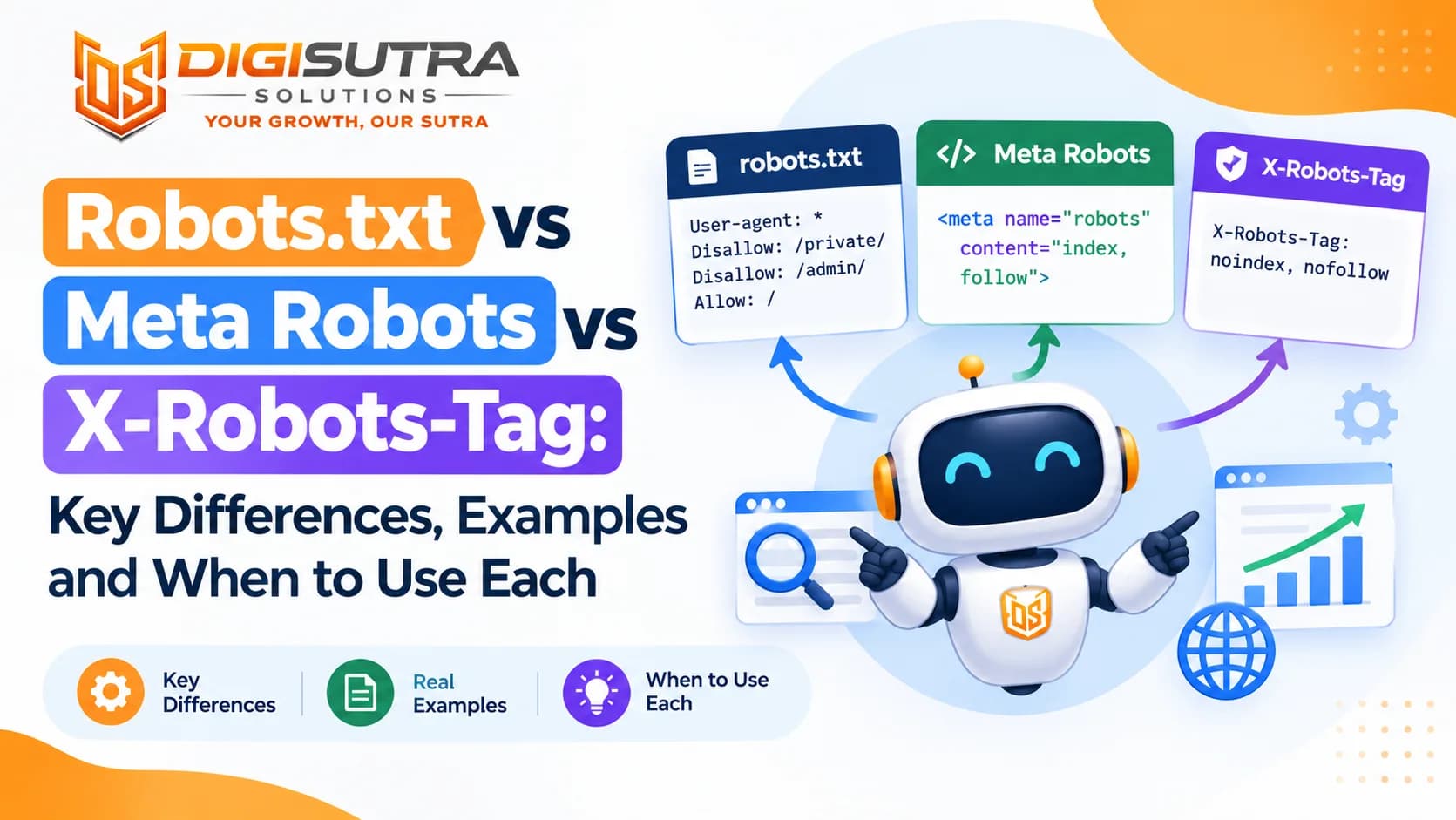
Robots.txt vs Meta Robots vs X-Robots-Tag: Key Differences, Examples and When to Use Each

Related · SEO & AI search · 19 min
What Is a Meta Robots Tag? Meaning, Directives, Examples and SEO Best Practices