

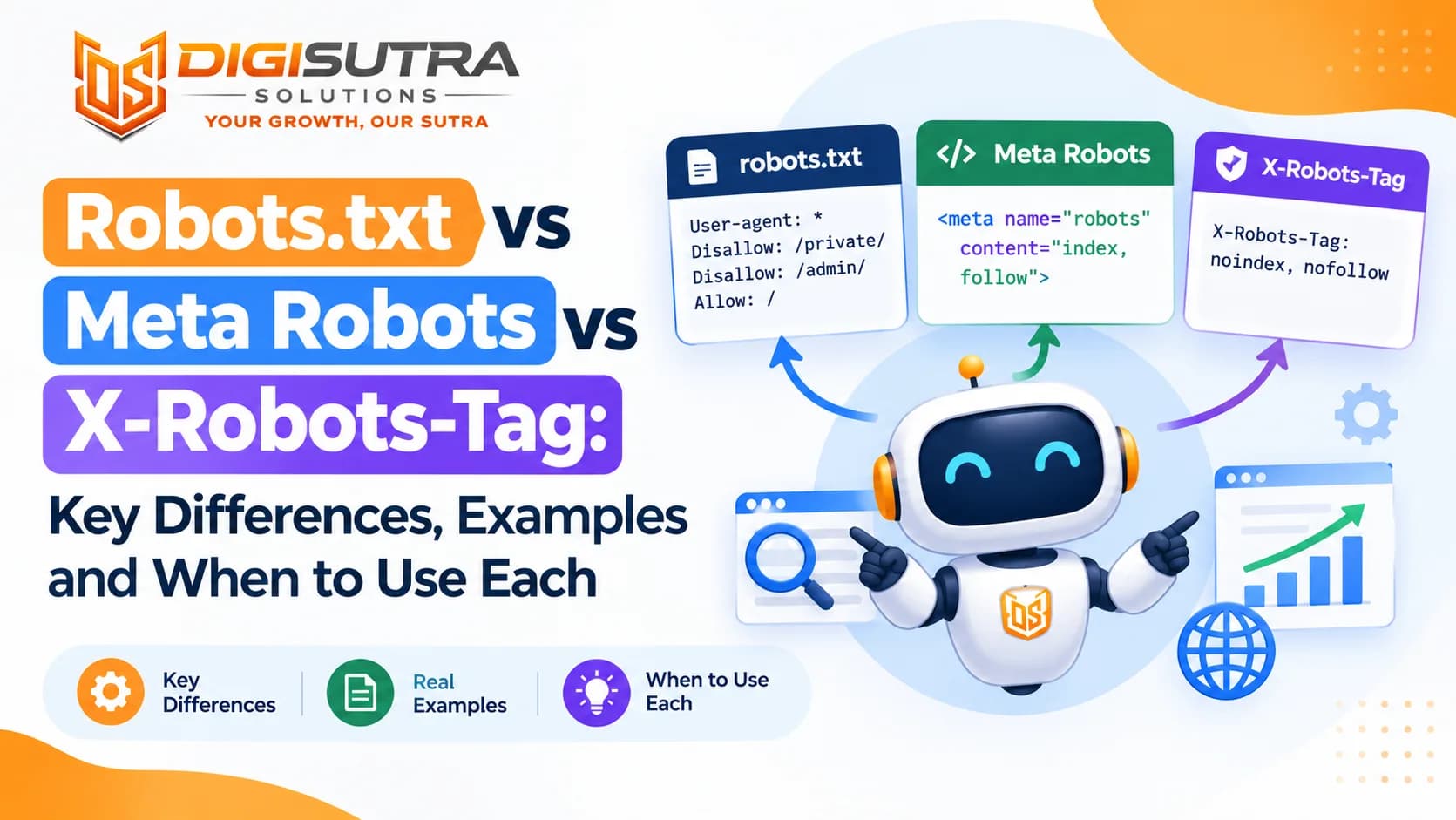
Robots.txt vs Meta Robots vs X-Robots-Tag: Key Differences, Examples and When to Use Each
Key takeaways
- Robots.txt tells crawlers which URLs they may visit.
- Robots.txt is a plain text file that lives at yoursite.com/robots.txt.
- The meta robots tag sits inside the head section of a single HTML page.
- The X-Robots-Tag is an instruction your server sends in the HTTP response header.
Every site owner wants Google to crawl the right pages and skip the rest. Three tools help with that job. They are robots.txt, the meta robots tag and the X-Robots-Tag header. They sound alike so people mix them up all the time. One wrong setting can hide your best page from search or leave a private page open to anyone.
This guide explains robots.txt vs meta robots vs x-robots-tag in plain words. You will see what each one does, how they differ and which one fits each job. You will also get setup examples for popular platforms and a safe way to remove a page from Google. The last sections cover the mistakes that cause the most damage and how these controls affect AI search tools.
What Is the Difference Between Robots.txt, Meta Robots and X-Robots-Tag?
Robots.txt tells crawlers which URLs they may visit. The meta robots tag tells search engines what to do with one HTML page after they crawl it. The X-Robots-Tag does the same job through the HTTP header and also works for PDFs and images. Robots.txt controls crawling. The other two control indexing and display.
Knowing robots.txt vs meta robots vs x-robots-tag is the base of any technical SEO setup. Crawl and index rules decide what search engines and AI tools can see on your site. A small mistake here can undo months of content work.
The Three Controls at a Glance
Robots.txt: a text file at the root of your domain that allows or blocks crawling
Meta robots tag: a line of code in the head of one HTML page that controls indexing and snippets
X-Robots-Tag: a rule your server sends in the HTTP header that does the same job for any file type
What Is Robots.txt?
Robots.txt is a plain text file that lives at yoursite.com/robots.txt. Crawlers read it before they fetch pages on your site. It lists rules for each crawler by name and says which folders or URLs they can or cannot visit. The rules follow the Robots Exclusion Protocol which became an official internet standard called RFC 9309 in 2022.
The key point is that robots.txt manages crawling and not indexing. If you block a URL here but other sites link to it Google can still list that URL in results with no description. Google also stopped supporting the noindex rule inside robots.txt in 2019. The file is public too so anyone can read it. Never use it to hide private content.
What Robots.txt Can and Cannot Do
It can block crawlers from folders like /cart/ or /admin/
It can save crawl budget on large sites with many filter URLs
It can point crawlers to your XML sitemap
It can allow or block named bots such as Googlebot or GPTBot
It can keep images and video files out of Google results
It cannot remove a page from Google
It cannot stop a bad bot that ignores the rules
It cannot protect private data since anyone can open the file
A Basic Robots.txt Example
User-agent: *
Disallow: /cart/
Disallow: /search/
Allow: /
Sitemap: https://www.example.com/sitemap.xml
User-agent: * means the rules apply to all crawlers
Disallow blocks a path
Allow opens a path inside a blocked folder
Sitemap shows crawlers where your sitemap lives
Robots.txt Rules That Trip People Up
Each host needs its own file: example.com/robots.txt does not cover blog.example.com. The http and https versions count as separate too
Paths are case sensitive: Disallow: /Admin/ does not block /admin/
Wildcards need care: matches any run of characters and $ marks the end of a URL. Disallow: /.pdf$ blocks every URL that ends in .pdf
The longest match wins: when an Allow and a Disallow both fit a URL Google follows the more specific one. If they are the same length Google picks Allow
A named group replaces the star group: a bot that has its own User-agent group ignores everything under User-agent: *. Copy any shared rules into its group
Status codes matter: if the file returns a 404 Google treats your whole site as open. A 5xx error does the opposite and can pause crawling until the file loads again
Size and extras: Google reads only the first 500 KiB of the file and it ignores the crawl-delay line
What Is the Meta Robots Tag?
The meta robots tag sits inside the head section of a single HTML page. It gives search engines page level instructions. The most common use is telling Google not to index a page while still letting it crawl the page.
<meta name="robots" content="noindex, follow">
Google has to crawl the page to read this tag. If robots.txt blocks the page the bot never sees the tag and the noindex does nothing. This is the most common mix up between the two controls. Keep the tag inside the <head> since that is where search engines look for it.
You can also target one bot by using its name in place of "robots". Google reads googlebot and Bing reads bingbot. When two tags disagree Google follows the stricter one.
<meta name="googlebot" content="noindex">
<meta name="bingbot" content="noarchive">
A page that stays on noindex for a long time may also stop passing value through its links. So don't count on noindex pages to hold up your internal linking forever.
Pages with stray noindex tags are easy to miss on big sites. A free SEO audit tool can flag pages that carry a noindex you did not plan.
Common Meta Robots Values
noindex: keep this page out of search results
nofollow: do not pass signals through the links on this page
none: a short way to write noindex and nofollow together
nosnippet: do not show a text snippet. In Google it also stops the page text from being used in AI Overviews and AI Mode
max-snippet: limit how many characters can show in a snippet. 0 means no snippet and -1 means no limit
max-image-preview: set the largest image preview size as none, standard or large
max-video-preview: limit a video preview to a set number of seconds
noimageindex: keep the images on this page out of image search
notranslate: stop Google from offering a translated version in results
indexifembedded: let content shown inside an iframe get indexed even when its own page has noindex
unavailable_after: stop showing the page after a set date
noarchive: Google stopped using it in 2024 after it removed cached pages. Bing still reads it and uses it to keep a page out of Copilot answers
nocache: a Bing value that lets Copilot use only the URL and title and snippet of a page
To hide just one part of a page from snippets add the data-nosnippet attribute to that block. The rest of the page can still show.
<div data-nosnippet>Member-only pricing details</div>
What Is the X-Robots-Tag?
The X-Robots-Tag is an instruction your server sends in the HTTP response header. It supports the same values as the meta robots tag. The big difference is where it lives. A header is not part of the page code so it works for files that have no HTML head. That includes PDFs and images and videos and other downloads.
This is what a bot sees when it fetches a PDF that carries the header:
HTTP/1.1 200 OK
Content-Type: application/pdf
X-Robots-Tag: noindex, nofollow
You can point the header at one bot too. X-Robots-Tag: googlebot: noindex applies to Google only. A server can also send more than one X-Robots-Tag header in the same response.
Here is how it looks in an Apache config for all PDF files:
<FilesMatch "\.pdf$">
Header set X-Robots-Tag "noindex, nofollow"
</FilesMatch>
And here is the same idea in Nginx:
location ~* \.pdf$ {
add_header X-Robots-Tag "noindex, nofollow";
}
Server rules are easy to get wrong and a bad line can affect the whole site. Many teams hand this work to a website maintenance and security team so changes are tested before they go live.
Headers also don't show up in the page source so they are harder to audit than a meta tag. If a meta tag can do the job use the tag. Save the header for files and bulk rules.
When the Header Is Your Best Choice
You want to keep PDFs or Word files out of search
You want to noindex images or videos
You need one rule for a whole folder or file type
You cannot edit the HTML of a page
You want to noindex pages made by a template you cannot change
You want API or JSON responses kept out of search while your pages still load them
You can add headers at your CDN even when the server is locked
Robots.txt vs Meta Robots vs X-Robots-Tag: Side by Side
This table shows the main differences in one view.
Point | Robots.txt | Meta Robots | X-Robots-Tag |
Where it lives | Root file on each host | HTML head of a page | HTTP response header |
Main job | Control crawling | Control indexing and snippets | Control indexing and snippets |
Works on PDFs and images | Blocks crawling. Google also drops blocked images and videos from its results | No | Yes |
Scope | Whole site or folders or URL patterns | One page | One file or a pattern of files |
Can noindex a page | No | Yes | Yes |
Needs the page to be crawlable | No | Yes | Yes |
Saves crawl budget | Yes | Not directly | Not directly |
Stops bots finding links on the URL | Yes | Only with nofollow | Only with nofollow |
Who edits it | SEO or developer | SEO or content team | Developer or server admin |
Key Differences in Short
Robots.txt acts before the crawl while the other two act after the bot fetches the page
Only the meta tag and the header can keep a page out of the index
Only the header can handle non-HTML files with full index control
Robots.txt works at site level while the tag works at page level
A blocked URL hides its links from bots while a noindex page can still lead bots to the pages it links to
Only robots.txt cuts the load crawlers put on your server
When to Use Each One
The right pick depends on your goal. Ask yourself one question first. Do I want bots to skip this URL or do I want them to see it but not list it?
Simple Rules for Picking the Right Control
Block filter and search result URLs that waste crawl budget: use robots.txt
Keep a thank you page or login page out of results: use meta robots noindex
Keep a PDF price list out of results: use X-Robots-Tag noindex
Remove a page that is already indexed: add noindex first and leave the page crawlable so Google can see it
Retire a page for good: return a 404 or 410 status code instead of keeping it live with noindex
Show shorter snippets on a page: use max-snippet in the meta tag
Stop bots from opening admin folders: use robots.txt and add real login protection too
Hide a staging site: put it behind a password and add an X-Robots-Tag noindex header as a backup
Block AI training but stay in AI answers: set robots.txt rules bot by bot as shown in the AI section below
Handle a thin page: improve the page before you hide it. A content marketing team can turn weak pages into pages worth ranking
How to Remove a Page From Google the Right Way
This is where most people slip. The first instinct is to block the page in robots.txt. That stops Google from ever seeing a noindex so the URL can sit in results for months.
Steps to Deindex a Page Safely
Decide if the page should stay live: if it is gone for good return a 404 or 410. If it moved send a 301 redirect to the new page
Add noindex: use the meta tag for HTML pages or the X-Robots-Tag header for files
Keep the URL crawlable: make sure no robots.txt rule blocks it
Help Google find the change: leave the URL in your sitemap for a few weeks with a fresh lastmod date. The live test in URL Inspection shows if Google can see the noindex
Hide it fast if you must: the Removals tool in Search Console hides a URL for about six months while noindex does the permanent work
Confirm it is gone: the Pages report in Search Console lists it under Excluded by noindex tag. Then take the URL out of your sitemap
Think twice before adding a Disallow: a blocked URL with outside links can come back as a bare link. For most pages keeping the noindex in place is the safer choice
How to Set Up Robots Rules on Popular Platforms
Most sites never need hand written server code. Your CMS or framework already has a place for each control.
WordPress
Noindex a page with Yoast: open the Advanced tab in the Yoast panel and switch the search results option to No
Noindex a page with Rank Math: open the Advanced tab and tick No Index under Robots Meta
Edit robots.txt: WordPress serves a virtual file. Yoast has a file editor under its Tools menu and Rank Math has one in its General Settings
Check one box before launch: under Settings then Reading the option "Discourage search engines from indexing this site" adds a noindex to every page. Untick it on the live site
Noindex PDFs from the media library: add the Apache rule shown earlier to your .htaccess file or ask your host for the Nginx version
Shopify
Edit robots.txt: add a robots.txt.liquid template under Online Store then Themes then Edit code. The default file already blocks cart and checkout and internal search pages so change it only when you need to
Noindex one page: add a small Liquid check inside the head of theme.liquid as shown below
Use an app if you prefer: many Shopify SEO apps add a noindex switch to each page
{% if page.handle == 'wholesale-price-list' %}
<meta name="robots" content="noindex, follow">
{% endif %}
Next.js and Vercel
Noindex a page: set robots in the page metadata
Create robots.txt: add an app/robots.ts file that returns your rules
Send X-Robots-Tag: use the headers function in next.config.js
Watch preview builds: Vercel adds X-Robots-Tag noindex to preview deployments by default. If a preview branch gets its own custom domain that header is dropped so add it yourself
// app/thank-you/page.tsx
import type { Metadata } from 'next'
export const metadata: Metadata = {
robots: { index: false, follow: true },
}
// app/robots.ts
import type { MetadataRoute } from 'next'
export default function robots(): MetadataRoute.Robots {
return {
rules: [{ userAgent: '*', disallow: ['/cart/', '/search'] }],
sitemap: 'https://www.example.com/sitemap.xml',
}
}
// next.config.js
module.exports = {
async headers() {
return [
{
source: '/downloads/:path*',
headers: [{ key: 'X-Robots-Tag', value: 'noindex' }],
},
]
},
}
Servers and CDNs
Apache and Nginx use the rules shown in the X-Robots-Tag section above
CDNs such as Cloudflare and Fastly can add or change a response header with a rule. That helps when you can't touch the origin server
Some CDN and firewall tools now block AI bots by default. Check those settings along with robots.txt
Where XML Sitemaps and Canonical Tags Fit In
These two often get lumped in with robots rules but they do different jobs. A sitemap is a list of URLs you want crawled. A canonical tag names the main version of a page when copies exist. Neither one blocks or removes anything.
How They Work With Robots Rules
List only pages you want indexed in your sitemap. Leave out anything blocked, noindexed or redirected
The one short exception is a page you are removing. Keep it listed until Google drops it and then take it out
Add a Sitemap line to robots.txt so every crawler can find the file. This walkthrough on how to build and submit a clean XML sitemap covers the full setup
Don't mix noindex with a canonical that points to another URL. One says drop this page and the other says merge it into another one. Pick one
Don't block duplicate pages in robots.txt if you rely on canonical tags. Google has to crawl a page to read its canonical
JavaScript Sites and Staging Environments
Modern sites add two more ways to get these rules wrong. One is pages built with JavaScript. The other is test copies of your site.
What to Watch on JavaScript and Staging Sites
Don't block files your pages need: if a page pulls its content from /api/ or from script files a robots.txt block leaves Google with a half empty page. To keep API responses out of search send X-Robots-Tag noindex on them instead
Put robots tags in the server HTML: if Google finds noindex in the first HTML it may skip rendering the page. JavaScript can't take the tag away later
Remember AI crawlers: most AI crawlers don't run JavaScript. A tag or content added only by scripts may never reach them
Lock staging sites: a password stops every bot. A robots.txt block alone can still leave staging URLs in results as bare links
Clean up at launch: remove the staging noindex and any Disallow all line on the day the site goes live
Common Mistakes to Avoid
Most crawl and index problems come from a few repeat errors. Check your site for each one.
Mistakes That Hurt Rankings
Blocking a page in robots.txt and adding noindex: the bot never reads the noindex so the page can stay in results
Leaving staging rules on after launch: a Disallow all line or a sitewide noindex often slips into the live site and hides everything
Blocking CSS or JavaScript or API files: Google cannot render the page well and may judge it wrongly
Using robots.txt as security: the file is public and shows attackers where your private folders are
Typos in wildcards: one wrong character in a pattern can block far more than you planned
Mixed signals across the three controls: when a meta tag and a header disagree Google follows the most restrictive rule
Noindex on a page you want to rank: a template change can add it to hundreds of pages at once
Noindex plus a canonical to another URL: the two signals fight and Google may ignore one of them
Placing the meta tag outside the head: search engines look for it in the head and may miss it anywhere else
Expecting noindex to save crawl budget: Google still fetches the page to read the tag. Use robots.txt when you want fewer crawls
How These Controls Affect AI Search
AI tools also read your crawl rules. Robots.txt is where you allow or block AI crawlers like GPTBot, ClaudeBot and PerplexityBot. Well behaved bots follow these rules but the rules are voluntary. Some bots ignore them.
Most AI companies now run separate bots for training and for search. Blocking a training bot does not pull you out of that company's AI search. OpenAI says robots.txt changes take about a day to reach its search systems.
Company | Training bot or token | Search and answer bot |
OpenAI | GPTBot | OAI-SearchBot |
Anthropic | ClaudeBot | Claude-SearchBot |
Perplexity | No training bot | PerplexityBot |
Google-Extended (a token and not a crawler) | Googlebot for Search and AI Overviews and AI Mode | |
Apple | Applebot-Extended (a token) | Applebot |
Microsoft | noarchive meta value | Bingbot for Bing and Copilot |
OpenAI and Anthropic and Perplexity also run fetchers that visit a page only when a user asks for it. These are ChatGPT-User, Claude-User and Perplexity-User. OpenAI says robots.txt may not apply to ChatGPT-User since a person made the request.
Google has its own control called Google-Extended. It manages whether Google can use your content for Gemini training and grounding. Google says it does not affect your inclusion or ranking in Search. AI Overviews and AI Mode are part of Search so they follow the normal Search controls. Those are noindex, nosnippet, max-snippet and the data-nosnippet attribute.
Bing works another way. Bingbot feeds both Bing search and Copilot and there is no separate AI token. Use noarchive to keep a page out of Copilot answers and model training while it stays in Bing results. Use nocache if Copilot may show only the URL and title and snippet.
Blocking AI crawlers can lower the chance that AI tools cite you. Allowing them can raise it. Make the choice based on your goals and not on habit.
Robots.txt that blocks training and keeps AI search
Each named group repeats the private folders because a bot with its own group skips the star group.
# AI search bots: allowed but kept out of private folders
User-agent: OAI-SearchBot
User-agent: Claude-SearchBot
User-agent: PerplexityBot
Disallow: /cart/
Disallow: /admin/
# AI training bots and tokens: blocked
User-agent: GPTBot
User-agent: ClaudeBot
User-agent: Google-Extended
User-agent: Applebot-Extended
Disallow: /
# Everyone else
User-agent: *
Disallow: /cart/
Disallow: /admin/
Sitemap: https://www.example.com/sitemap.xml
Practical Steps for AI Search Visibility
Decide which AI bots you want to allow and write a clear rule for each in robots.txt
Keep pages you want cited crawlable and indexable
Avoid nosnippet on pages you want quoted in answers
Put a short direct answer near the top of key pages so tools can quote it
Check your CDN or firewall since some block AI bots by default
Treat llms.txt as optional since it does not allow or block any bot
Review your rules every quarter since new bots appear often
How to Test Your Setup
Testing takes only a few minutes and it prevents costly errors. Run these checks after every site launch or template change.
Eight Checks to Run
Open yoursite.com/robots.txt in a browser and read every line
Use the robots.txt report in Google Search Console to see if Google fetched the file without errors. It replaced the old robots.txt Tester that Google retired in 2023
Use the URL Inspection tool to check if a page is blocked or set to noindex
Right click a page and view the source to confirm the meta robots tag is what you expect
Run curl -I on a file URL to read the response headers and find any X-Robots-Tag
Open the Pages report in Search Console and look for Blocked by robots.txt and Excluded by noindex tag and Indexed though blocked by robots.txt
Check your server logs to see which bots really visit and whether they follow your rules
For a full site review work through a technical SEO audit checklist that covers crawling and rendering and AI crawler access
Conclusion
Each control has one clear job. Robots.txt decides where bots can go. The meta robots tag decides what happens to a single page. The X-Robots-Tag does the same for files that have no HTML head. Use them together but never let them fight each other.
Start by checking your live robots.txt and your most important pages for stray noindex rules. Keep pages you want to rank open and crawlable. Use noindex for pages that should stay out of results and leave those pages crawlable so the tag gets read. Set AI bots one by one since training and search bots are separate now. Recheck your setup after every big site change.
FAQs
What is the difference between robots.txt and meta robots?
Robots.txt controls whether a crawler can visit a URL. Meta robots controls what a search engine does with a page after it crawls it. One manages access and the other manages indexing and snippets.
Does robots.txt stop a page from being indexed?
No. It only blocks crawling. Google can still index a blocked URL without a description if other pages link to it. Use a noindex tag or header to keep a page out of results.
Can I use noindex in robots.txt?
No. Google stopped supporting the noindex rule in robots.txt in 2019. Use the meta robots tag or the X-Robots-Tag header instead.
What is the X-Robots-Tag used for?
It gives index and snippet instructions through the HTTP header. It is the best way to noindex PDFs and images and other files that have no HTML head. It also lets you set one rule for many files at once.
Which wins if robots.txt and meta robots conflict?
Robots.txt acts first. If it blocks the page the bot never reads the meta tag. If a meta tag and an X-Robots-Tag conflict Google follows the most restrictive rule.
Should I use noindex and Disallow together?
No. The Disallow rule stops Google from reading the noindex. Leave the page crawlable until it drops out of the index. You can block it after that but a blocked URL with outside links can come back as a bare link.
Does robots.txt hide pages from hackers?
No. The file is public and anyone can read it. Listing private folders there can even point people to them. Protect private areas with logins and server rules.
How long does Google take to respect a change?
Google usually caches robots.txt for up to a day. Meta robots and header changes apply after Google recrawls the page. That can take days or weeks depending on how often your site is crawled.
Do these controls affect AI Overviews and ChatGPT?
Yes. Google applies its normal Search controls like noindex, nosnippet and max-snippet to AI Overviews and AI Mode. ChatGPT search relies on OAI-SearchBot so blocking that bot keeps you out of its answers. Google-Extended does not change your Search ranking.
How do I check my robots.txt and index settings?
Open your robots.txt file in a browser and use the robots.txt report and URL Inspection tool in Google Search Console. View the page source for the meta tag and run curl -I on a file to see its headers.
Can I use meta robots and X-Robots-Tag on the same page?
Yes but you rarely need both. Google reads both and follows the strictest rule when they differ. Pick one per page so your setup stays easy to audit.
Does noindex save crawl budget?
Not directly. Google still has to fetch the page to read the tag. Once the page drops out of the index Google may crawl it less. Use robots.txt when the main goal is fewer crawls. Crawl budget is mostly a concern for very large sites.
Is the noarchive tag still useful?
Not for Google. Google stopped using it in 2024 after it removed cached pages. Bing still reads it and uses it to keep a page out of Copilot answers and model training.
How do I block AI training but stay in AI search?
Block the training bots in robots.txt and allow the search bots. For OpenAI that means a Disallow for GPTBot and an Allow for OAI-SearchBot. Do the same with ClaudeBot and Claude-SearchBot for Anthropic.
Does a noindex tag added with JavaScript work?
It is risky. Google may skip rendering a page that already has noindex in its first HTML so a script cannot remove the tag later. Many AI crawlers don't run scripts at all so a tag added by JavaScript may never reach them. Put robots tags in the server HTML.
Sources: Google Search Central (robots.txt specification, robots meta tag specification, crawl budget guide and crawling myths page), Bing Webmaster Guidelines, OpenAI crawler documentation, Vercel documentation and RFC 9309. Checked on 30 September 2026.
About the author

Sr. SEO Executive · 3 years' experience
Harsh Rajput is a Senior SEO Executive with 3+ years of experience in SEO, digital marketing and AEO/GEO strategy. He leads a team of SEO executives at Digisutra Solutions, handling keyword research, technical SEO, on-page/off-page optimization, link building and content strategy, while helping brands rank in Google AI Overviews and LLM platforms like ChatGPT, Claude and Gemini. He has worked with clients across India, USA, UAE, and Australia in industries like e-commerce, finance and technology.
Reader reviews
Up next · SEO & AI search · 16 min
What Is X-Robots-Tag? Meaning, Directives, Server Examples and SEO Best Practices

Related · SEO & AI search · 19 min
What Is a Meta Robots Tag? Meaning, Directives, Examples and SEO Best Practices