
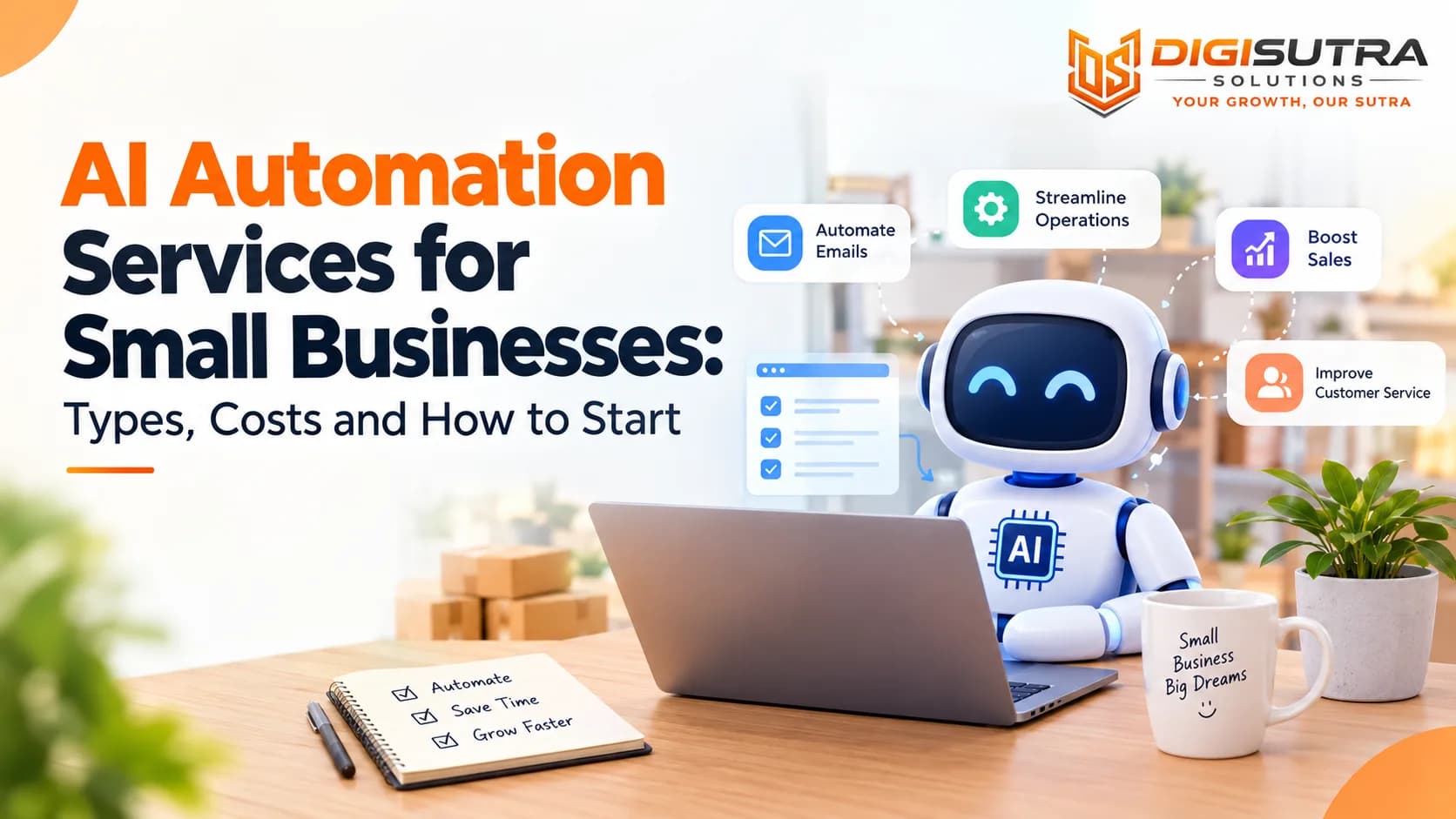
AI Automation Services for Small Businesses: Types, Costs and How to Start
Key takeaways
- AI automation services set up software that does repetitive tasks for your business using AI.
- Most AI automation follows one simple loop.
- A small team has no spare hours.
- The main gain is time.
Running a small business means doing ten jobs before lunch. You answer messages and send quotes and chase payments and update sheets. Most of this work looks the same every day.
AI can take over a big part of it. It reads messages and writes replies and sorts leads and moves data between your apps. Nobody has to touch each step.
Short answer: AI automation services set up AI tools that handle repetitive work for you. Most small businesses start with one task and see the first results within weeks.
This guide explains AI automation in plain words. You will see how it works and what to automate first and what it costs. You will also learn how to stay safe with your data and how to avoid the mistakes that slow most small teams down.
What Are AI Automation Services?
AI automation services set up software that does repetitive tasks for your business using AI. The software reads text and understands what a customer wants and then takes the next step by itself. That step could be a reply, a CRM update or a booking.
A provider of AI automation services plans the workflow, connects your tools and tests the result. Then they hand over a system your team can run every day. You do not need to write code or train a model.
What AI Automation Services Usually Cover
Chatbots that answer questions on your website and WhatsApp
Lead capture and lead scoring from forms and ads
Auto replies and sorting for emails and messages
Invoice and data entry from PDFs and emails
Booking and reminder flows
Reports that write themselves from your sales or ad data
Meeting notes and task lists created after every call
AI agents that finish a task across several apps
How Do AI Automation Services Work?
Most AI automation follows one simple loop. Something happens, the AI reads it, decides what to do and then does it. A person steps in only when the case is tricky.
Take a customer who writes "where is my order". The AI understands the question, looks up the order and sends the status. It then saves the chat in your CRM. This takes seconds and no one on your team lifts a finger.
The 5-Step Loop
Trigger: A new message, form or invoice arrives
Understand: The AI reads it and works out what the person wants
Decide: It follows your rules and picks the next step
Act: It replies or updates a record or books a slot
Review: A person checks tricky cases and the system improves over time
The Technology Behind It in Plain Words
Large language models (LLMs): AI that reads and writes text like a person such as Claude and GPT
Natural language processing (NLP): The skill of understanding what a message means
Machine learning: Finds patterns in past data to predict what comes next
Robotic process automation (RPA): Software bots that click and type through fixed steps
Document reading: Pulls amounts and dates out of invoices and forms
RAG: Lets the AI look up facts in your own files before it answers
AI agents: Systems that plan a task and finish it across several apps
Why Small Businesses Need AI Automation
A small team has no spare hours. When one person is sick or a sale gets busy things slip. A slow reply to a lead often means that lead buys from someone else.
The time loss is bigger than most owners think. Salesforce's Trends in AI for CRM report estimates that workers spend about 41% of their time on repetitive and low-impact tasks. For a five-person team that is two full people doing busywork.
Automation works all day and all night. It answers at 2 AM and never forgets a follow-up. Your team then spends time on work that needs a human such as calls and deals and care for customers.
AI is also changing how marketing and sales teams work every month. Our post on how AI is changing digital marketing shows where small teams can gain the most.
Signs You Are Ready for Automation
You answer the same five questions every day
Leads wait hours for a reply
Someone copies data from one app to another by hand
Invoices and reports eat up your Fridays
You miss follow-ups when work gets busy
Hiring one more person for admin work feels too costly
Benefits of AI Automation for Small Businesses
The main gain is time. The second gain is fewer mistakes. Together they let a small team handle more work without hiring at the same speed.
What You Can Expect
Faster replies: Leads and customers hear back in seconds and not hours
Fewer errors: No more typos in data entry or missed invoice lines
Lower cost per task: Each reply or booking or report costs less over time
Growth without extra hires: Volume can double while your admin team stays the same
Round-the-clock service: Customers get help at night and on weekends
Better data: Every chat and lead lands in one place ready for reports
AI Automation vs Regular Automation
Regular automation follows fixed rules. If a form is filled then send this email. It breaks when a message does not fit the rule.
AI automation can read free text and judge what it means. A customer can write "where is my parcel" or "order not here yet" and the system knows both mean the same thing. This makes it useful for messy real work.
Key Differences
Regular automation: Fixed if-then rules that break on anything unexpected
AI automation: Understands language and handles many ways of asking the same thing
Regular automation: Best for clean and simple steps like sending a receipt
AI automation: Best for tasks with text and choices like sorting leads or answering support questions
Both together: Rules handle the clear steps and AI handles the messy ones
RPA vs AI Automation vs AI Agents
These three terms get mixed up. Here is the difference at a glance.
Type | What it does | Handles messy text | Best for |
RPA | Repeats fixed clicks and typing | No | Copying data between apps |
AI automation | Reads text and makes simple choices inside a workflow | Yes | Lead sorting and support replies |
AI agents | Plans and finishes multi-step tasks across apps | Yes | Booking and follow-up from start to end |
Most small businesses need AI automation first. Agents make sense later when the basics run well.
Tasks You Can Automate First
Start with one task that is boring, frequent and easy to measure. A small win builds trust in your team. It also shows you real numbers before you spend more.
Lead handling is a common first pick because every missed lead costs money. A simple lead management system can capture each enquiry, score it and alert the right person within minutes.
Best First Projects for a Small Business
Lead follow-up: Reply to every new enquiry within a minute and book a call
FAQ replies: Answer common questions on your site and WhatsApp
Appointment booking: Let customers pick a slot and get reminders
Invoice entry: Pull amounts and dates from bills into your sheet or accounts tool
Review requests: Ask happy customers for a Google review after each sale
Weekly reports: Send sales and ad numbers to your inbox every Monday
AI Automation for Customer Support
Support is where most small businesses feel the pain first. The same questions come in again and again about price, delivery and returns. An AI assistant can answer these in seconds using your own policies and product details.
A good setup also knows its limits. When a customer is angry or asks for a refund the chat goes to a person with the full conversation attached. Many businesses begin with AI customer support on one channel and add more later.
What a Support Bot Can Handle
Order status and delivery questions
Return and refund policy questions
Opening hours and location
Product details and size or plan guidance
Booking and rescheduling
Spotting angry messages and sending them to a person first
Handoff to a human with the full chat history
If you want to plan the conversation before any build you can sketch it with a free AI chatbot flow builder. It helps you see which questions to cover first.
AI Automation for Marketing and Sales
Marketing has many small repeat jobs. Leads come from ads, forms and social posts. Each one needs a reply, a tag and a next step.
Automation can send a welcome message the moment someone signs up. It can then follow up on email or WhatsApp over the next few days. Well-planned email and WhatsApp campaigns turn cold leads into paying customers without extra work from your team.
It also helps your paid ads. When lead data flows back into your ad platform the algorithm learns which leads become buyers. Teams running performance marketing campaigns see this pay off in lower cost per lead over time.
Simple Marketing and Sales Wins
Instant reply to every ad lead
A three-message follow-up series on WhatsApp or email
Lead scores that tell sales who to call first
Auto tags in your CRM based on what the lead asked
Weekly ad reports without opening five dashboards
Abandoned cart reminders for online stores
AI Automation Examples by Industry
The tools stay the same but the tasks change by business. Here is how small teams in common fields use them.
Where Small Businesses Use AI Automation
Online stores: Order updates and return help and cart reminders for any ecommerce store
Clinics and wellness: Appointment booking and reminders and patient FAQs
Real estate: Instant reply to property enquiries and lead scoring and site visit booking
Restaurants and local services: Table or slot booking and review requests and order status
Coaching and education: Admission enquiry replies and class reminders and fee follow-ups
Agencies and consultants: Lead intake and proposal drafts and weekly client reports
Logistics and trading: Delivery updates and invoice entry and stock alerts
How Much Do AI Automation Services Cost?
Cost depends on how many tools you connect and how many decisions the AI makes. A chatbot linked to one data source costs far less than a system that touches five apps. Most small businesses do not need a big budget to start.
At Digisutra Solutions focused AI builds start at around $524 (about ₹49,000) and most go live in 2 to 6 weeks. Larger systems with several teams and many tools cost more and take longer. Plan for running costs after launch too.
Common Pricing Models
Fixed project fee: One price for a clear outcome such as a support bot on WhatsApp
Monthly retainer: A steady fee for ongoing builds and fixes and updates
Tool subscription: You pay a platform yourself and build your own flows. Plans for tools like Make and Zapier start free and paid tiers begin at around $12 to $20 a month as of August 2026 so check current prices
Usage fees: The AI model charges for each request and this sits on top of the build cost
What Changes the Price
Number of apps the AI needs to connect with
Whether it only answers questions or also takes actions
Amount of data that needs cleaning first
Number of channels such as website and WhatsApp and email
Testing and safety checks needed before launch
Monthly usage fees for the AI model and hosting
Support and updates after go-live
A Simple Savings Example
The formula is easy: hours saved each month × hourly cost of your staff − monthly running cost = monthly gain.
Here is an example with made-up numbers. A clinic front desk spends 15 hours a week on booking and reminder calls. AI takes over 10 of those hours. Staff time costs ₹300 an hour. That is 10 hours × 4 weeks × ₹300 = ₹12,000 saved each month. If the system costs ₹5,000 a month to run the clinic gains ₹7,000 a month before counting extra bookings.
Before you commit run your own numbers. A free ROI calculator helps you compare the build cost with the hours and leads you expect to save.
DIY Tools vs Agency vs Custom Build
There are three ways to get AI automation. The right one depends on your time and skills and how unique your process is.
Which Route Fits You
DIY with no-code tools: Tools like Zapier, Make and n8n let you connect apps yourself. This is the cheapest and fastest to start. You own every fix when a flow breaks
Agency build: A team designs and builds the flows for you and often on the same tools. You buy speed and expertise and should ask who maintains it later
Custom build: Code written around your data and rules. This costs more and fits businesses with unusual processes or strict privacy needs
Features already in your software: Many CRMs and accounting tools now include AI features. Check these first before you buy anything new
How to Get Started With AI Automation in 5 Steps
You do not need a big plan. You need one clear problem and some data about it. Small projects that work beat big projects that stall.
Score Your Tasks First
Not every task is worth automating. Give each task a score from 1 to 5 on these four points and add them up. The highest total is your first project.
How often it happens: Daily tasks score high
How much time it takes: Longer tasks score high
How clear the rules are: Tasks a person can explain in five steps score high
How low the risk is: Tasks where a mistake is cheap to fix score high
The 5 Steps
Data quality matters more than most owners expect. Duplicate rows and empty cells confuse any system. A free CSV cleaning tool removes them in a few minutes before you start.
Pick one task: Choose the job with the top score from your list
Write down the steps: List what a person does today from start to finish
Gather your data: Collect FAQs, past chats, policies and clean your sheets
Run a small pilot: Test on one channel with real customers for two weeks
Review and expand: Fix wrong answers and then add the next channel or task
How to Choose an AI Automation Partner
The right partner asks about your business before they talk about tools. A weak one pushes the same product to every client. Look for people who can show live systems and not just demos.
If your needs go beyond a simple bot you may want a system built around your own data and rules. That is where custom AI development comes in. A good partner starts with the lightest option that solves the problem and moves up only when needed.
Questions to Ask Before You Hire
Can you show a live project in my industry
Who owns the code and the data after launch
What does it cost each month to run
How do you handle wrong answers and handoff to a person
How will you train my team
What happens to my data and is it used to train public models
What is your support plan after launch
What a Good Process Looks Like
Audit: They map your manual tasks and rank them by return
Plan: You get a short scope with tools and costs and the number you will track
Pilot: They build one workflow and test it with real cases
Check: You review wrong answers and approve the rules
Launch: The system goes live with a human handoff in place
Support: They monitor results and fix and update as your business changes
Is AI Automation Safe? Data, Privacy and Human Review
AI automation often touches customer names, orders and payment details. So safety needs a plan on day one. Safe setups limit what the AI can see and keep a person in charge of risky steps.
Your website and forms feed the system too. If they are weak the whole flow is weak. Regular website maintenance and security keeps those entry points safe and up to date.
Safety Checklist
Know where your data is stored and who can open it
Confirm in writing that your data is not used to train public AI models
Give each staff member access only to what they need
Keep a human approval step for refunds and payments and anything legal
Log what the AI said and did so you can review it later
Follow the privacy laws that apply to you such as India's DPDP Act and the UAE data protection law and GDPR in Europe and HIPAA for US health data
Own the code and prompts and data after the project ends
Challenges and Myths About AI Automation
AI automation is not magic. It works best when you know its limits. It also helps to drop a few common beliefs that hold small teams back.
Real Challenges to Plan For
Messy data: Old or duplicate records lead to wrong answers
Old software: Some tools have no way to connect and need a workaround
Wrong answers: The AI can sound sure and still be wrong so testing matters
Staff pushback: People worry about their jobs until they see the busywork disappear
Drift: Accuracy can slip when prices and policies change and nobody updates the system
Myths to Ignore
"It is only for big companies": Cloud tools and focused builds now fit small budgets
"It will replace my team": It takes over repeat tasks and frees people for work that needs judgment
"I need perfect data": You need clean data for one task and not for the whole business
"It runs by itself forever": It needs monitoring and updates like any other system
How to Measure Results From AI Automation
Pick one number before you build and check it after launch. This keeps the project honest. It also tells you when to expand and when to fix.
Keep your numbers in one place so you can see the trend. A free marketing KPI dashboard shows cost per lead and conversion rate side by side before and after the change.
Numbers Worth Tracking
Reply time to new leads
Share of chats solved without a human
Staff hours saved each week
Cost per lead or cost per ticket
Error rate on data entry tasks
Customer satisfaction score
AI Automation Trends Small Businesses Should Watch in 2026
The field moves fast. These shifts matter most for small teams.
What Is Changing
AI agents: Tools that finish whole tasks like qualifying a lead and booking the call
WhatsApp first: More customers now prefer to chat and order where they already spend time
Document AI: Invoices and forms get read and checked with little manual work
Built-in AI: CRMs and accounting tools now ship with automation features included
Human review by design: Good systems pause for approval on risky steps
Common Mistakes Small Businesses Make
Most failed projects fail because of planning and not because of the AI. Owners buy a tool first and look for a problem later. Others try to automate everything at once.
Mistakes to Avoid
Starting with the tool instead of the problem
Feeding the system messy or old data
Skipping the pilot and launching to everyone
Having no human handoff for angry customers or refunds
Setting no success number before the build
Forgetting to update the system when prices or policies change
Expecting the AI to be perfect from day one
Buying a custom build when a built-in feature would do
Conclusion
AI automation works best when it starts small. Pick one task that costs you time and fix that first. Measure the result and then move to the next task.
Small businesses gain the most because every saved hour and every faster reply counts. You do not need a large team or a large budget. You need a clear problem, clean data and a partner who builds around how you work.
Start this week. Write down the three tasks that annoy your team the most and choose one. That is your first automation.
Frequently Asked Questions
What are AI automation services?
AI automation services build systems that handle repeat business tasks using AI. They cover things like chatbots, lead follow-up, invoice entry and reports. The system reads text, makes simple choices and takes the next step without a person.
Are AI automation services worth it for a small business?
Yes when you pick a task that is frequent and costly. Faster lead replies and fewer manual hours often pay back the cost within months. Start with one task and measure the result before you expand.
How much do AI automation services cost for small businesses?
Costs depend on scope. Focused builds such as a support chatbot can start under $1,000 with some agencies. Larger systems that connect many tools cost more. Also plan for monthly fees for the AI model and hosting.
What tasks should a small business automate first?
Start with lead follow-up, FAQ replies and appointment booking. These tasks repeat daily and are easy to measure. Invoice entry and weekly reports are good next steps.
Will AI automation replace my employees?
It mostly replaces repetitive tasks and not whole roles. Your team gets time back for calls, sales and customer care. Humans still handle complex cases and final decisions.
How long does it take to set up AI automation?
Focused projects usually take 2 to 6 weeks. That includes planning, a pilot and launch. Systems that connect several tools can take a few months.
Do I need technical skills to use AI automation?
No. Your provider builds and connects everything. Your team only needs to learn the daily use such as checking handoffs and updating answers.
What is the difference between AI automation and a chatbot?
A chatbot is one type of AI automation that talks to customers. AI automation is wider. It can also update your CRM and send follow-ups and process invoices and build reports without any chat.
What is the difference between AI automation and RPA?
RPA repeats fixed steps like copying data from one app to another. It breaks when the input changes. AI automation can read free text and make choices so it handles messy work. Many setups use both together.
What is an AI agent?
An AI agent is software that plans a task and finishes it across several apps. For example it can qualify a lead and book a call and update your CRM. Agents work best after your basic automations run well.
Which tools can small businesses use to start with AI automation?
No-code tools like Zapier and Make and n8n let you connect apps and add AI steps yourself. Many CRMs and accounting tools also include AI features. Pick a tool based on your skills and how unusual your process is. Many small teams hire an agency when the flow touches several systems.
Is my business data safe with AI automation?
It can be when the system is set up with care. Ask where your data is stored and who can access it. Also confirm that your data is not used to train public AI models.
Can AI automation work with WhatsApp and my CRM?
Yes. Most modern setups connect to WhatsApp and email and popular CRM tools. This lets the AI reply to customers and log the chat and update the lead record in one flow.
About the author

Sr. SEO Executive · 3 years' experience
Harsh Rajput is a Senior SEO Executive with 3+ years of experience in SEO, digital marketing and AEO/GEO strategy. He leads a team of SEO executives at Digisutra Solutions, handling keyword research, technical SEO, on-page/off-page optimization, link building and content strategy, while helping brands rank in Google AI Overviews and LLM platforms like ChatGPT, Claude and Gemini. He has worked with clients across India, USA, UAE, and Australia in industries like e-commerce, finance and technology.
Reader reviews
Up next · AI automation · 21 min
AI Software Development Services: The Complete 2026 Guide to Types, Costs and Choosing a Partner
Related · Marketing & ads · 15 min
Performance Marketing Services in India: How to Set Goals, Budgets and KPIs That Guide Spend