

How to Optimize Website Speed and Improve Page Load Time

Harsh Rajput · Sr. SEO Executive · 3 years' experience · 3 September 2026 · Updated 10 September 2026 · 14 min read
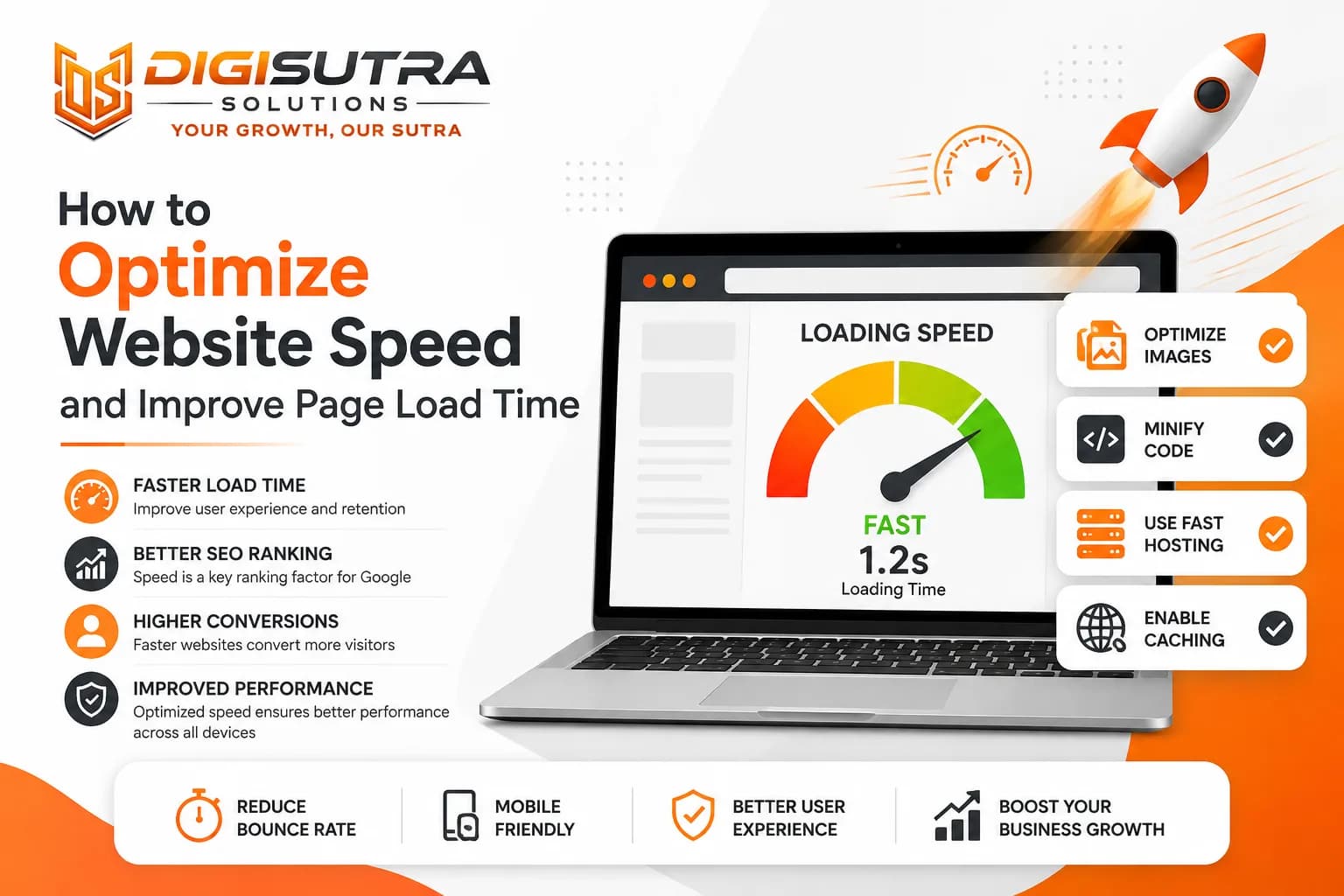
Key takeaways
- Website speed optimization is the process of making a website load faster, respond quickly and remain stable while loading.
- Speed affects how people feel about your brand the moment they land on your site.
- Vague goals do not help.
- Most speed guides hand you twenty tips and leave you to guess which one applies.
A slow website can lead to a poor user experience, lower engagement and lost conversions. Visitors expect pages to load quickly, especially on mobile devices and slower connections. Website performance can also affect search performance through page experience signals such as Core Web Vitals. In this guide, you will learn how to measure website speed and improve page load time using practical techniques that do not require rebuilding your entire website.
What Is Website Speed Optimization
Website speed optimization is the process of making a website load faster, respond quickly and remain stable while loading. A fast website gives visitors a better experience and can support better search performance and conversions. This guide explains how to optimize website speed using Core Web Vitals, image compression, caching, CDN, TTFB improvements, code optimization and render blocking fixes.
What It Actually Covers
Front end work like images, code and fonts
Back end work like hosting, caching and database queries
Network work like CDNs, compression and connection protocols
Ongoing checks so speed does not slip back over time
One point people mix up. Page speed is the performance of a single URL. Site speed is the average across your whole website. Google ranks individual URLs so page level fixes matter most.
Why Website Speed Matters for Your Business
Speed affects how people feel about your brand the moment they land on your site. It also affects how search engines treat you.
What Slow Speed Costs You
Higher bounce rate as users leave before the page finishes loading
Lower conversion rate on product pages and checkout forms
Poor mobile experience for users on weaker networks
Lower search rankings since page experience is a confirmed ranking signal
Wasted crawl budget on large sites so new pages get indexed slower
Wasted ad spend when visitors leave paid landing pages early
What Fast Speed Gives You
Better user experience across desktop and mobile
Higher chances of visitors completing a purchase or form
Faster indexing after you publish or update a page
Lower server costs since pages use fewer resources
More trust from users who link speed with reliability
Speed Numbers You Should Aim For
Vague goals do not help. These are the actual thresholds Google uses.
Core Web Vitals Targets
Metric | What it measures | Good | Poor |
LCP (Largest Contentful Paint) | How fast the main content shows up | Under 2.5s | Over 4s |
INP (Interaction to Next Paint) | How fast the page reacts to clicks and taps | Under 200ms | Over 500ms |
CLS (Cumulative Layout Shift) | How much the layout jumps while loading | Under 0.1 | Over 0.25 |
Worth noting that INP replaced First Input Delay as the official interactivity metric. If a guide still tells you to track FID it is out of date.
Supporting Metrics Worth Tracking
TTFB or Time to First Byte should stay under 800ms. Under 200ms is excellent
FCP or First Contentful Paint should land under 1.8s
Speed Index shows how quickly the visible part of the page fills in
Total page weight since anything above 2MB struggles on mobile data
Check Your Current Website Speed Score
Test before you fix. Guessing wastes days on changes that gain nothing.
Steps to Test Your Site Speed
Run your homepage and top landing pages through a speed testing tool
Note your LCP, INP and CLS scores separately
Test on both mobile and desktop since results often differ a lot
Check speed from different locations if you serve a global audience
Save your results so you can compare after making changes
Free Tools to Measure Speed
Tool | Data type | Best for |
PageSpeed Insights | Field and lab | Seeing what Google sees |
Lighthouse (Chrome DevTools) | Lab | Debugging while you build |
GTmetrix | Lab | Waterfall and asset analysis |
WebPageTest | Lab | Testing from specific locations |
Chrome UX Report (CrUX) | Field | Real visitor data over time |
Lab Data vs Field Data
Lab data comes from a simulated test on one device. Field data comes from real visitors on real phones and real networks. Google ranks using field data. So a perfect lab score means nothing if your actual users are on slow connections in areas with weak coverage. Always check both.
Find What Is Actually Slowing Your Site
Most speed guides hand you twenty tips and leave you to guess which one applies. That wastes time. Your site probably already passes half of them.
How to Spot the Real Bottleneck
Open the waterfall chart in GTmetrix or WebPageTest
Look at what loads before your main content appears
Find files that only start downloading after another file finishes
Check which requests are blocking the render
Fix the longest bar first not the easiest one
A common pattern looks like this. Your hero image is small but it loads late because a CSS file has to finish first. Compressing that image further gains nothing. Loading it earlier gains a lot. This is where proper website speed optimization separates from generic checklist work.
Optimize Images for Faster Loading
Images are usually the heaviest thing on a page. On most sites they are also the LCP element which means they directly control your main score.
Ways to Fix Image Weight
Compress every image before uploading
Use WebP or AVIF instead of PNG or JPEG
Resize to the actual display size instead of scaling down in CSS
Add lazy loading for anything below the fold
Never lazy load your hero image since that delays LCP
Serve different sizes for different screens using srcset
Remove unused images sitting in your media library
That fifth point trips up a lot of people. Lazy loading everything feels efficient but it pushes your main image later and hurts the metric you are trying to fix.
Cut Down HTTP Requests
Every file on your page is a separate request. Browsers can only handle so many at once so the rest queue up and wait.
What to Remove First
Plugins you installed once and never used
Icon fonts loading hundreds of icons when you use six
Multiple font families and weights you do not need
Chat widgets, trackers and heatmap scripts running together
Sliders and carousels loading images nobody scrolls to
Also check whether you are on HTTP/2 or HTTP/3. Both send multiple files over one connection which removes most of the old request overhead. Most modern hosts support this by default.
Reduce Server Response Time and TTFB
A well optimised front end still feels slow if your server takes a second to reply. This is the part most people skip.
Steps to Improve Server Speed
Pick hosting built for your traffic level, not the cheapest plan
Enable server side caching so repeat requests skip processing
Clean up your database and remove old revisions and junk tables
Reduce the number of database queries running on each page load
Use a fast DNS provider instead of defaulting to your host
Monitor TTFB regularly and not just once a year
Hosting Types Compared
Type | Speed | Best for |
Shared | Slowest | Small sites with low traffic |
VPS | Good | Growing business sites |
Managed / Cloud | Very good | Ecommerce and high traffic |
Dedicated | Fastest | Large custom applications |
Shared hosting is where most TTFB problems start. You are sharing resources with hundreds of other sites so a traffic spike on someone else's site slows yours. Teams that handle design and backend together avoid this trap early. Our web development team builds with performance planned in rather than patched on later.
Minify Compress and Clean Up Your Code
Extra characters in your files add weight. Compression on top of that cuts transfer size further.
What Minification Removes
Extra spaces and line breaks
Comments left in production files
Unused CSS rules that never get applied
Duplicate JavaScript functions across files
Long variable names that can be shortened safely
Turn On Text Compression
Gzip and Brotli shrink your HTML, CSS and JavaScript before they travel over the network. Brotli compresses better than Gzip and every modern browser supports it. This is usually a one line server setting or a toggle in your CDN dashboard. Check it because a surprising number of sites still miss files here.
Use a Content Delivery Network
A CDN stores copies of your files on servers around the world. Visitors load from the server nearest them instead of one sitting in another country.
Benefits of Using a CDN
Faster load times for visitors outside your main server location
Reduced load on your primary server during traffic spikes
Better handling of sudden traffic from ads or campaigns
Built in protection against bot traffic and DDoS attempts
Easier scaling as your website grows
That fourth point matters more than people expect. Bad bot traffic eats server resources and slows the site for real visitors. Most CDNs filter this out before it reaches you.
Fix Render Blocking Resources and Control Script Loading
Render blocking files stop your page from showing anything until they finish downloading. This is often the single biggest LCP problem.
How to Handle Both Issues
Set cache expiry rules for images, fonts and scripts
Inline your critical CSS so above the fold content paints immediately
Defer the rest of your stylesheets
Add defer to scripts that are not needed for first paint
Add async to independent scripts like analytics
Move heavy third party embeds below the fold or load them on interaction
Give the Browser Early Hints
preconnect warms up a connection to a domain you will use soon
dns-prefetch resolves a domain name before the file is needed
preload tells the browser to fetch your LCP image right away
fetchpriority="low" pushes unimportant files out of the way
Preloading an important LCP image can help the browser discover and request that resource earlier when the image would otherwise be discovered late.
Clean Up Redirects and Third Party Scripts
Redirects and external scripts pile up quietly over the years. Nobody notices until the site feels sluggish.
Quick Audit Checklist
Find redirect chains where one URL points to another which points to a third
Update internal links to point at the final URL directly
List every third party script running on your site
Remove trackers from campaigns that ended months ago
Load chat widgets only after a user scrolls or clicks
Check whether any script is loading a second copy of jQuery
Each redirect adds a round trip. Three chained redirects can cost you a full second before your server even starts responding.
Optimize for Mobile Devices
Mobile is now the primary version Google crawls and ranks. A site that flies on desktop and crawls on mobile is losing on the version that counts.
Mobile Speed Checklist
Use responsive design that adapts to different screen sizes
Serve smaller image files to smaller screens
Avoid heavy popups that block first paint
Cut back on JavaScript since phones process it slower than laptops
Test on a throttled 4G connection not on office wifi
Keep mobile navigation lightweight
Test with CPU throttling switched on. A mid range Android phone is far slower than the laptop you build on and that gap is where most mobile scores get lost.
Speed Priorities by Website Type
Where you focus should match what your site actually does.
Where to Focus First
Website type | Main problem | Fix first |
Blog | Heavy themes and ad scripts | Lighter theme, cut third party scripts |
Ecommerce | Product image weight | Image compression and caching |
Service business | Page builder bloat | Minify CSS and JS, trim plugins |
SaaS or app | Large JavaScript bundle | Code splitting reduces initial payload |
Large enterprise | Crawl budget and scale | CDN plus edge caching |
Ecommerce sites feel this the hardest. A one second delay on a product page shows up directly in cart abandonment. Pairing speed work with technical SEO improvements usually produces better results than doing either alone.
What Google Actually Rewards
A perfect score is not the goal and chasing one wastes budget.
Chasing 100/100 Is a Trap
Google uses real visitor data not your lab score
Consistent performance beats one great test result
A site scoring 75 for everyone beats one scoring 98 for some and 40 for others
Breaking your design to gain two points is a bad trade
Fast rendering of useful content matters more than background files
Focus on getting most of your real visitors into the green range. That is what the ranking signal is built on.
Step By Step Website Speed Optimization Process
1. Test Your Current Performance
Run your website through PageSpeed Insights and check both mobile and desktop results. Record LCP, INP, CLS, TTFB and other important metrics before making changes.
2. Find the Biggest Bottleneck
Check the PageSpeed Insights recommendations and waterfall data from tools such as GTmetrix or WebPageTest. Focus on the problems that have the biggest effect on loading and user experience.
3. Optimize Images
Compress large images, use modern formats such as WebP or AVIF, resize images correctly and lazy load images that are below the fold.
4. Improve Server Response
Review your hosting, caching, database queries and CDN configuration if TTFB is high.
5. Reduce JavaScript and CSS
Remove unused code and defer non-critical JavaScript. Reduce render-blocking resources that delay important content.
6. Improve Mobile Performance
Test your pages on mobile devices and slower network conditions. Mobile performance is especially important because Google uses the mobile version of a site for indexing and ranking.
7. Test Again
Run the same tests after making changes and compare the results with your original measurements.
8. Monitor Performance
Continue checking Core Web Vitals and important landing pages because website performance can decline after new scripts, images, plugins or features are added.
Keep Your Site Fast With Monitoring
Speed decays. Someone adds a plugin. A new tracking script goes live. An image gets uploaded at full size. Six months later the site is slow again.
What to Watch After Launch
Track Core Web Vitals monthly in Search Console
Set up alerts for TTFB spikes
Re run a speed test after every plugin or theme update
Check your top five landing pages separately not just the homepage
Compare before and after numbers whenever you push a change
Search Console reports field data from your real visitors which makes it the most reliable free signal you have.
Conclusion
Website speed touches everything from how long visitors stay to how well you rank. The good news is that most fixes here do not need a rebuild. Start by testing and finding your actual bottleneck instead of applying every tip you read. Fix images and render blocking files first since those usually produce the biggest single gains. Then work on server response caching and script cleanup. Set up monitoring so the gains hold. Small consistent changes compound into a site that feels fast and that speed shows up in your rankings and your revenue.
FAQ
What is a good website load time?
Main content should appear in under 2.5 seconds. Anything past 4 seconds is rated poor by Google.
What is a good TTFB score?
Under 800ms is acceptable. Under 200ms is excellent. Over 600ms usually points to a hosting problem.
Why is my website loading slowly?
The most common causes are oversized images, render blocking scripts, slow hosting and too many third party trackers.
Does website speed affect SEO rankings?
Yes. Core Web Vitals are part of Google's page experience signals and slow pages also lose crawl budget.
What replaced First Input Delay?
Interaction to Next Paint replaced FID as the official Core Web Vitals metric for interactivity.
What is the difference between lab data and field data?
Lab data comes from a simulated test. Field data comes from real visitors. Google ranks using field data.
How often should I test my website speed?
Test after every major update and check Core Web Vitals in Search Console once a month.
Can too many plugins slow down my website?
Yes. Each plugin adds extra CSS, JavaScript and often server side processing on every page load.
Which image format is fastest?
WebP and AVIF are both far lighter than PNG or JPEG at the same visual quality.
Do I need a CDN for a small website?
If your visitors are all local you may not. If you serve other regions or countries, a CDN helps a lot.
Should I aim for a 100 PageSpeed score?
No. Consistent real world performance matters more than a perfect lab score.
Can I improve speed without redesigning my site?
Yes. Image compression, caching, script cleanup and better hosting fix most problems without a rebuild.
About the author
Sr. SEO Executive · 3 years' experience
Harsh Rajput is a Senior SEO Executive with 3+ years of experience in SEO, digital marketing and AEO/GEO strategy. He leads a team of SEO executives at Digisutra Solutions, handling keyword research, technical SEO, on-page/off-page optimization, link building and content strategy, while helping brands rank in Google AI Overviews and LLM platforms like ChatGPT, Claude and Gemini. He has worked with clients across India, USA, UAE, and Australia in industries like e-commerce, finance and technology.
Reader reviews

Up next · Web & design · 7 min
Website Footer Design: Best Practices for UX and SEO

Related · Web & design · 9 min
Designing a Homepage That Answers What You Do in Five Seconds